Terminal UI
Use Empryo in your terminal: keyboard shortcuts, the prompt box, modes, tabs, panels, the status bar, mouse support and the embedded Neovim editor.
Copy & share
On this page12 sections
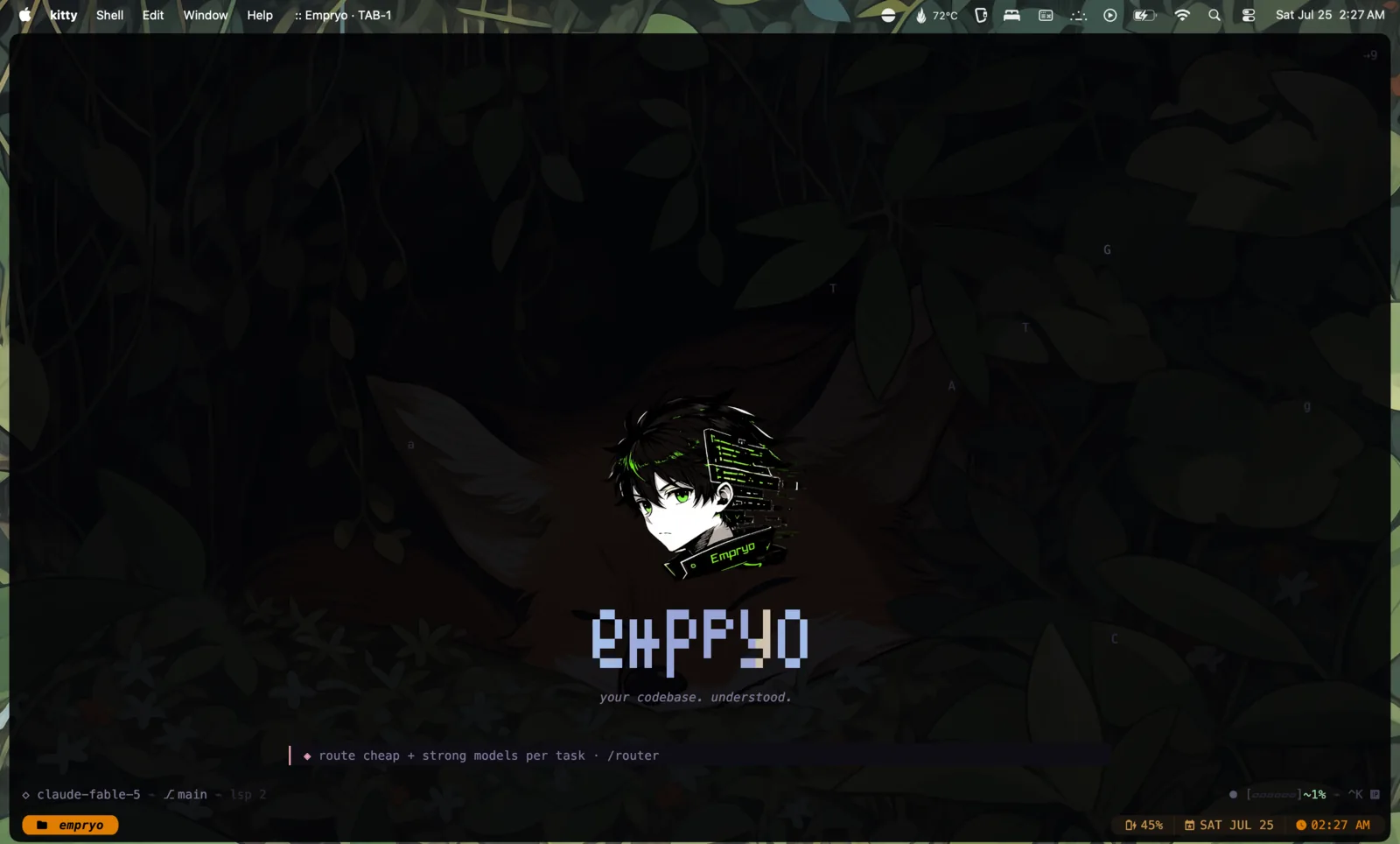
Run empryo inside a repository and the terminal UI opens. You chat with the agent, watch its tool calls, and review what it changed without leaving the keyboard. Everything you need is one shortcut or one slash command away.
Press Alt+H or type /shortcuts at any time to see every shortcut, grouped.
New to the terminal? The terminal lessons replay the real app and let you press each key yourself.
Keyboard shortcutsLink to this section
These work from the chat view. While a panel or dialog is open, it handles its own keys.
| Keys | Action |
|---|---|
Ctrl+K | Open the command palette and search every command. |
Ctrl+L | Pick a provider and model. |
Ctrl+D | Cycle to the next mode. |
Alt+E | Step reasoning effort for this tab. The status bar shows the level. |
Ctrl+S | Browse and install skills. |
Ctrl+G | Open the Git menu. |
Ctrl+P | Browse and restore past sessions. |
Ctrl+E | Show or hide the Neovim editor. |
Ctrl+T | Open a new tab. |
Ctrl+W | Close the current tab. |
Ctrl+N | Start a new session. The current one is saved first. |
Ctrl+1…Ctrl+9, Ctrl+0 | Go to tab 1–9, or tab 10. |
Ctrl+\ / Ctrl+] | Previous / next tab. |
Ctrl+B / Ctrl+F | Step back / forward through checkpoints. Stepping past the newest returns you to the live state. |
Alt+K / Alt+J | Scroll the chat up / down a few lines. scrollSpeed in the configuration sets how far. |
Page Up / Page Down | Scroll the chat a screen at a time. |
Ctrl+X | Stop the current response. |
Ctrl+O | Expand or collapse all code and reasoning blocks. |
Ctrl+C | Copy the selection. With nothing selected, it clears the prompt box; in an empty prompt box, it quits. |
Ctrl+Shift+C | Copy the selection. Never quits. |
Ctrl+Shift+Esc | Stop all computer use and release the mouse and keyboard. |
Alt+H | Keyboard reference. |
Alt+R | Error log. |
A checkpoint is saved for every prompt, covering both your files and the conversation. Ctrl+B and Ctrl+F let you look back through them.
The prompt boxLink to this section
| Keys | Action |
|---|---|
Enter | Send the prompt. While the agent is working, this sends a steering message to the current turn. |
Alt+Q | Queue the prompt as a separate turn after the current one. Alt+Enter or Ctrl+Enter also work in terminals that pass them through. |
Alt+O | A long paste is folded into one line in the prompt. Open it in place to read or edit it before you send. |
↑ / ↓ | Previous / next prompt from history, when the cursor is on the first or last line. |
Ctrl+R | Fuzzy-search your prompt history. |
Tab | Go to the next tab (when no autocomplete list is open). |
Shift+Tab | Cycle to the previous mode. |
Ctrl+V / Alt+V | Paste an image from the clipboard as an attachment. |
Alt+S / Alt+P | Save the current draft for later / bring back the most recent saved draft. |
@ | Mention a file. A fuzzy file picker opens. |
/ | Start a slash command, with autocomplete. |
If you clear a long draft with Ctrl+C, Empryo saves it first. Press Alt+P to get it back.
To change a prompt you already sent, hover it in the chat and click Edit. Empryo goes back to the checkpoint before that prompt and puts its text in the prompt box. Change it and send it to carry on from there. This also works for a turn you stopped with Ctrl+X before Empryo replied.
ModesLink to this section
A mode tells the agent how to approach your request. Press Ctrl+D to cycle forward, Shift+Tab to cycle back, or pick one with /mode. Your choice is remembered per project.
| Mode | What the agent does |
|---|---|
default | Makes the changes you ask for. |
architect | Read-only. Analyses the current design and proposes changes, with risks and a recommendation. |
plan | Researches and writes a plan, then asks for your approval before editing. |
socratic | Read-only. Investigates, then asks you questions before implementing anything. |
challenge | Read-only. Pushes back on your assumptions. |
auto | Works through the task on its own. Destructive actions still ask first. |
In a read-only mode the agent can still read and search everything, but edits and shell writes are refused.
Empryo asks before the agent reads a web page, touches files outside the project or runs a destructive command. auto mode skips the first two. For page reads and work outside the project, the prompt can also allow that kind of request until the tab closes. To stop the page-read prompt for good, set `approvals.fetchPage` to "allow", or list the sites you trust in approvals.fetchDomains. /yolo skips every prompt.
Two more modes run as their own kind of session: /duck opens a side chat with no access to your repository (useful for thinking out loud), and /orchestrate runs a multi-agent workflow.
TabsLink to this section
Each tab is its own conversation on the same repository. You can have up to ten. Tabs share the Genome (Empryo's live map of your code) and memory, and they coordinate file edits so two tabs never silently overwrite the same file.
- Open:
Ctrl+Tasks for a name, then opens the tab./tab newdoes the same. - Close:
Ctrl+W. If the tab is busy, Empryo asks first. The last tab can't be closed. - Switch:
Ctrl+1…Ctrl+0,Ctrl+\/Ctrl+],Tabin the prompt box, or click the tab bar. - Rename:
/tab rename <name>. The name is saved right away, so it survives a restart and shows up in the desktop app. - Reorder:
/tab move leftor/tab move right.
All tabs are saved in one session. Reopen the session and your tabs come back.
ArtifactsLink to this section
Screenshots, pages, drawings, PDFs and videos the agent makes are the tab's artifacts. Each one shows under the turn that made it; click it to open it. The prompt box shows how many the tab has, and clicking that count lists them. /artifacts lists them too, and /artifacts 2 opens the second one, or saves a copy when it can't be opened.
WorktreesLink to this section
A tab can work in a git worktree: a second checkout of the repository on its own branch, so two tabs can change the same files without getting in each other's way. /worktree add <branch> creates the branch and its worktree and moves this tab there (--from <ref> picks where the branch starts). /worktree open moves the tab into a worktree you already have, and /worktree list shows them all. /worktree agent <task> starts an agent on the task in a new worktree. /worktree remove and /worktree prune clean up. The agent can do the same with its worktree tool. As in the desktop app, each worktree gets its own engine and Genome.
PanelsLink to this section
Anything beyond the chat opens in a panel. Search for it in the command palette (Ctrl+K), or use the command shown.
Ctrl+L or /models. Pick a provider and model. On LLM Gateway models, Ctrl+R lets you choose which upstream vendor serves the model.
Ctrl+K. Fuzzy-search every command and panel.
/settings. Every settings panel, plus All settings: each setting the terminal reads, with its value and where it comes from. Type to search, then press Enter to change one for this project or globally, or to clear it.
Ctrl+P or /session history. Browse and restore past sessions.
Ctrl+S or /skills. Search, install and load skills.
Ctrl+G or /git. Status, diff, commit, branch, stash, push and pull.
/router. Use a different model for each kind of task, such as code, exploration, planning and verification.
/mcp. See connected MCP servers and their tools, and reconnect them.
/lsp. Install, enable and disable language servers.
/genome. Settings and status for the code map.
/memory. View and clear what Empryo remembers across sessions.
/status or /context. Token use, context window and system health.
/usage. Spend per model and period, and what is left on your plans.
The command reference lists every slash command.
Status barLink to this section
The header and footer keep the important numbers in view:
- Model: the provider and model. Models served through the proxy or LLM Gateway show a prefix.
- Git: the current branch, marked when you have uncommitted changes.
- Mode: the active mode, or one badge per tab when several tabs are open.
- Context: how full the model's context window is. The gauge changes colour as it fills, and shows when Empryo is compacting the conversation or when you are viewing an older checkpoint.
- Plan meter: on a subscription model, how much of your plan's current limit you have used and when it resets. See Subscriptions, Proxy and Copilot.
- Cost: the estimated cost of the session so far, or
FREE/Localfor local models.
The footer also rotates shortcut hints and tips.
Mouse supportLink to this section
- Click and drag to select text. The selection is copied to your clipboard. Right-click copies and clears the selection.
- The scroll wheel scrolls the chat. New output keeps the view pinned to the bottom.
- Click the tab bar to switch, close or open tabs.
- Click the editor pane to focus it, and click the chat to go back.
Computer useLink to this section
With computer use, the agent can see and control apps on your machine, not just files. /computer shows what it can reach right now (displays, app windows, browser tabs), which operating system permissions are still missing, and any active sessions.
/computer stoporCtrl+Shift+Escstops everything and gives the mouse and keyboard back to you./computer teachrecords a workflow while you demonstrate it.
See computer use for the details.
Embedded NeovimLink to this section
Press Ctrl+E to open a real Neovim editor beside the chat. Neovim is an optional add-on:
empryo addon install neovim- When the agent edits a file you have open, the buffer reloads. The agent can also drive the editor through the editor tool: navigate, rename, format and read diagnostics.
/editor splitcycles the editor width between 40, 50, 60 and 70 percent./nvim-configswitches between Empryo's bundled Neovim config and your own.- While the editor has focus, your keystrokes go to Neovim. Press
Ctrl+Eto return to the chat.