Headless & output formats
Run Empryo from scripts and CI with empryo --headless: plain, JSON, and JSONL event output, multi-turn chat over stdin, and exit codes.
Copy & share
On this page6 sections
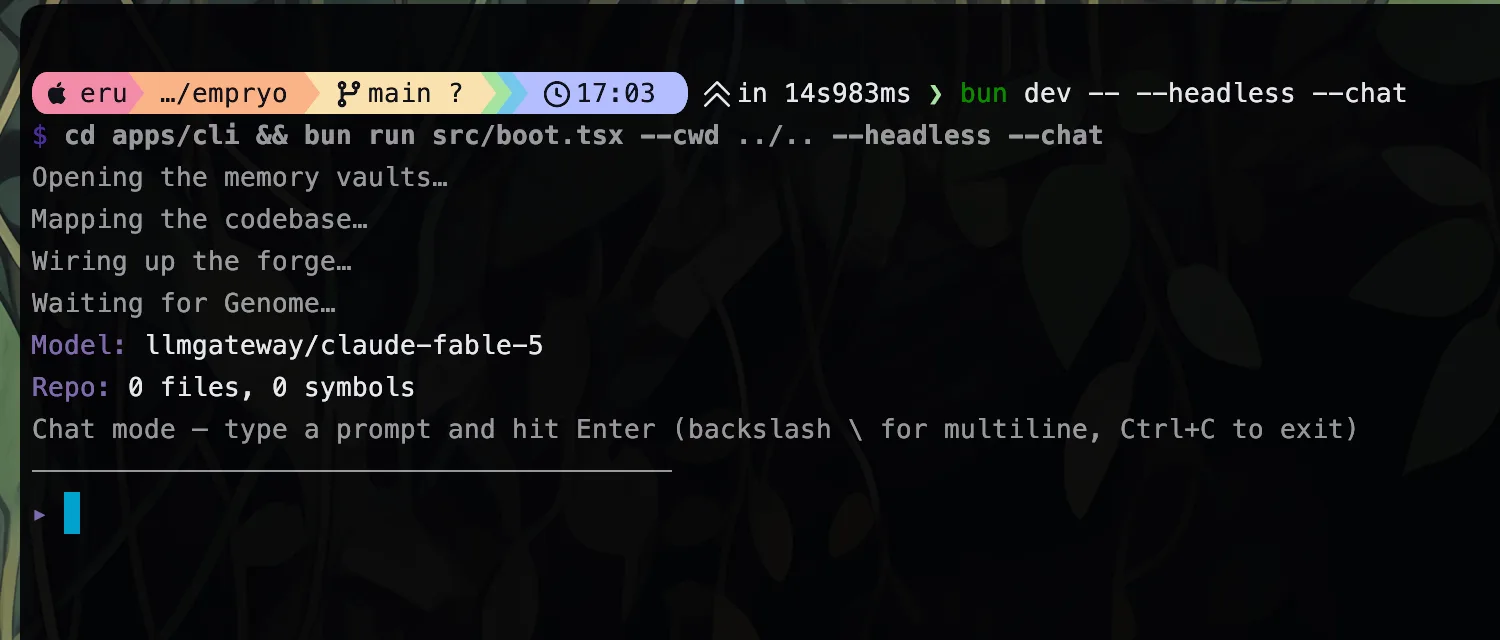
--headless runs the same agent without the terminal UI. Use it in scripts, CI jobs, and other automation. This page describes the output you get back. For complete CI examples, see the CI recipe.
empryo --headless "explain the auth middleware"
echo "find unused exports" | empryo --headless        # prompt from stdin
The assistant's answer goes to stdout. Progress lines (model, tools, the summary at the end) go to stderr. That keeps your pipes clean.
You can choose one of three output formats.
Plain text (default)Link to this section
The answer streams to stdout as it is written. If stdout is a terminal, the Markdown is rendered with colors. If you pipe it, you get raw text. Use --render or --no-render to force either behavior.
Two more flags help here:
--quiet(or-q) hides the progress lines on stderr.--difflists the files the agent changed when the run ends. The list goes to stderr and still appears with--quiet.
JSON: --jsonLink to this section
Prints one formatted JSON object when the run finishes. Nothing streams before that.
{
  "model": "anthropic/claude-opus-4-8",
  "mode": "default",
  "prompt": "list all TODOs",
  "output": "…assistant's final answer…",
  "steps": 7,
  "tokens": { "input": 18432, "output": 1204, "cacheRead": 16000 },
  "cost": 0.0812,
  "toolCalls": ["grep", "read", "find"],
  "filesEdited": ["src/auth/session.ts"],
  "duration": 38211
}
cost is an estimate in US dollars. duration is in milliseconds. The error key appears only when the run fails.
Events: --eventsLink to this section
Prints a stream of JSON Lines (JSONL): one JSON object per line, written as things happen. Every object has a type field. These are the ones you will use most:
| Type | Fields |
|---|---|
start | model, mode, session, genome (files and symbols, or null), workers |
text | content: the next piece of the answer |
tool-call | tool, toolCallId, input |
tool-result | tool, toolCallId, summary (a short summary of the result) |
step | step, tokens (running totals, plus the last step's input, output, and cached tokens) |
warning | message |
error | error |
model-call | One event per model call, from any lane: modelId, lane (main, subagent, background, compaction, and so on), effort, startedAt, durationMs, state (ok or error), input, output, cacheRead, cacheWrite, errorMessage. effort is the level the request actually carried and is absent when none was sent |
done | output, steps, tokens, cost, toolCalls, filesEdited, duration |
session-saved | sessionId (only with --save-session) |
You may see other types too, for example when the agent starts sub-agents or compacts its context. Sub-agent events carry the worker's model and effort too: agent-activity as modelId, background-status as model. Ignore any type your script does not need. The full list of lanes is in Logs, errors and worker effort.
empryo --headless --events "refactor the store" | while read -r line; do
  case "$(jq -r .type <<<"$line")" in
    tool-call) echo "→ $(jq -r .tool <<<"$line")" ;;
    done)      echo "done in $(jq -r .duration <<<"$line")ms" ;;
  esac
done
Chat: --chatLink to this section
--chat keeps a conversation going over stdin. Each line you send is one turn. End a line with \ to continue the message on the next line. Blank lines are skipped.
--json and --events work in chat mode too, once per turn. When stdin ends or you press Ctrl+C, Empryo saves the session and prints the command to resume it.
empryo --headless --chat <<'EOF'
what does the session store do?
now add a TTL field to it
EOF
With --events, chat mode adds three event types: ready before each prompt, turn-done after each turn, and chat-done at the end.
Exit codesLink to this section
| Code | Meaning |
|---|---|
0 | Success |
1 | Error |
2 | Timeout (--timeout was reached) |
3 | --review finished with a FAIL verdict |
4 | --review finished with a PARTIAL verdict |
130 | Stopped with Ctrl+C |
What is different without a UILink to this section
- There is no terminal UI, editor panel, or splash screen.
- Nobody is there to approve actions, so actions that would normally ask for approval are allowed.
- You cannot steer the agent while it runs. Stdin is only read in
--chatmode.