Cells & Morphs (experimental)
Change the Empryo desktop app with one JSON file: panels for notes, boards and timers, status chips, commands, shortcuts and agent rules. No code needed.
Copy & share
On this page58 sections
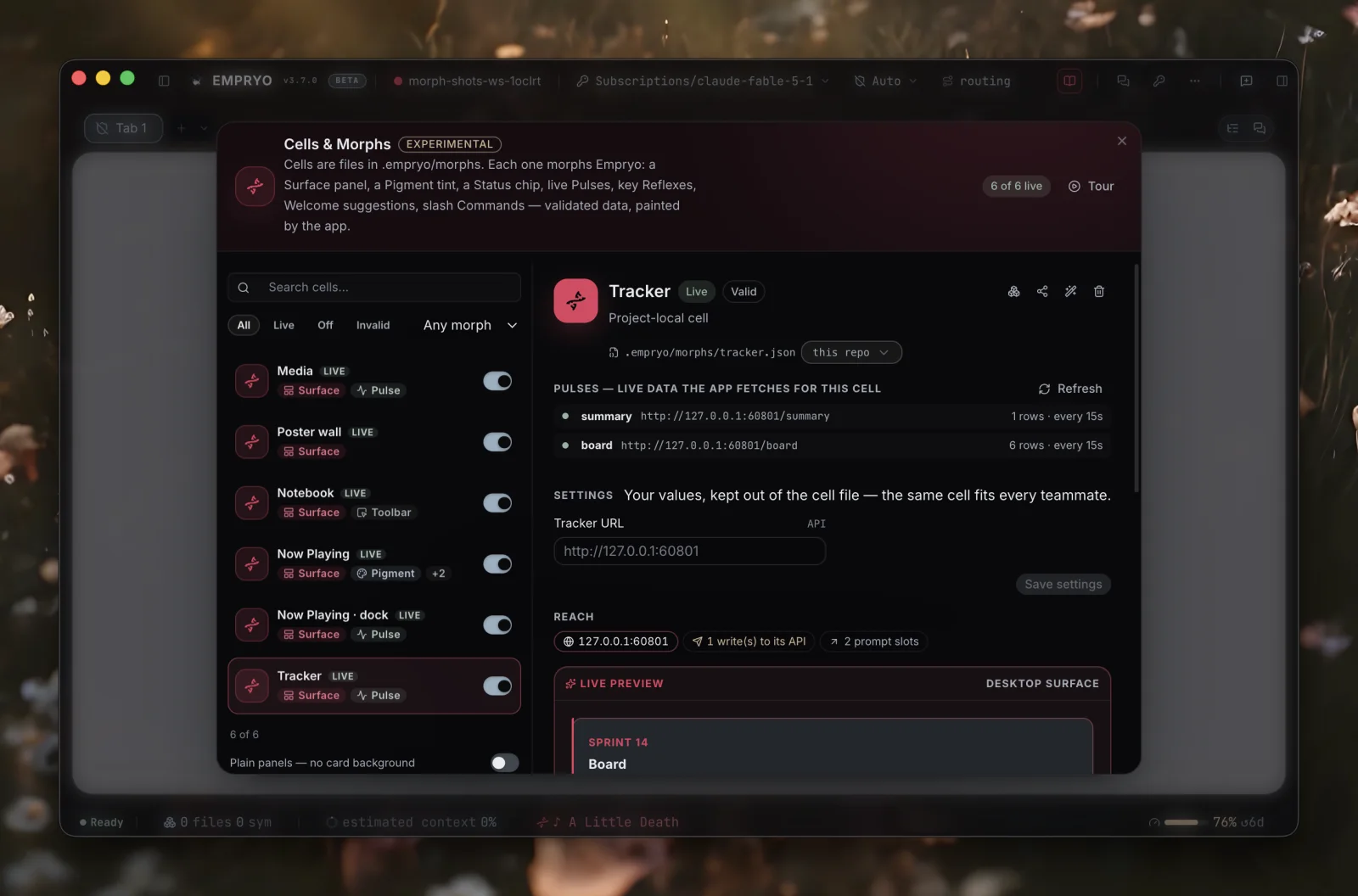
Experimental. Cells & Morphs are marked experimental. New features arrive with each release. A morph you write today keeps working: if an older app opens a morph made for a newer one, it shows the morph's fallback text instead.
A morph is one JSON file that adds to the Empryo desktop app. The app reads the file, checks it, and shows what it describes: a panel next to the built-in ones, a chip in the status bar, a /command in the composer, a keyboard shortcut, suggestions on an empty tab, or a new accent color. Save the file and the change appears shortly after. Delete it and the app goes back to how it was.
Two words, on purpose:
- A morph is the file you build, turn on, install and share, plus everything it puts on screen.
- Its cell is the part that affects the agent: rules, lookups, guards and state. This is the part you approve or revoke. In the terminal UI,
/cellsmanages exactly that. Nothing on screen is called a cell.
Empryo provides the building blocks. There is the engine (agents, tabs, runs, goal loops, teams, and the app's own data as feeds), the runtime (blocks, actions, views, feeds, state, intents) and the places in the app where things can appear. What you build with them is up to you: a ticket board, a notebook, a DJ deck that starts agents, a chapter wall for a novel, a plant monitor.
You do not have to write morphs by hand. Open Cells & Morphs from the ... menu (or run /morphs), click New morph, and describe what you want: "a notebook", "my tracker as a board I can drag", "a pomodoro timer that chimes". The agent writes the file.
Try it in five minutesLink to this section
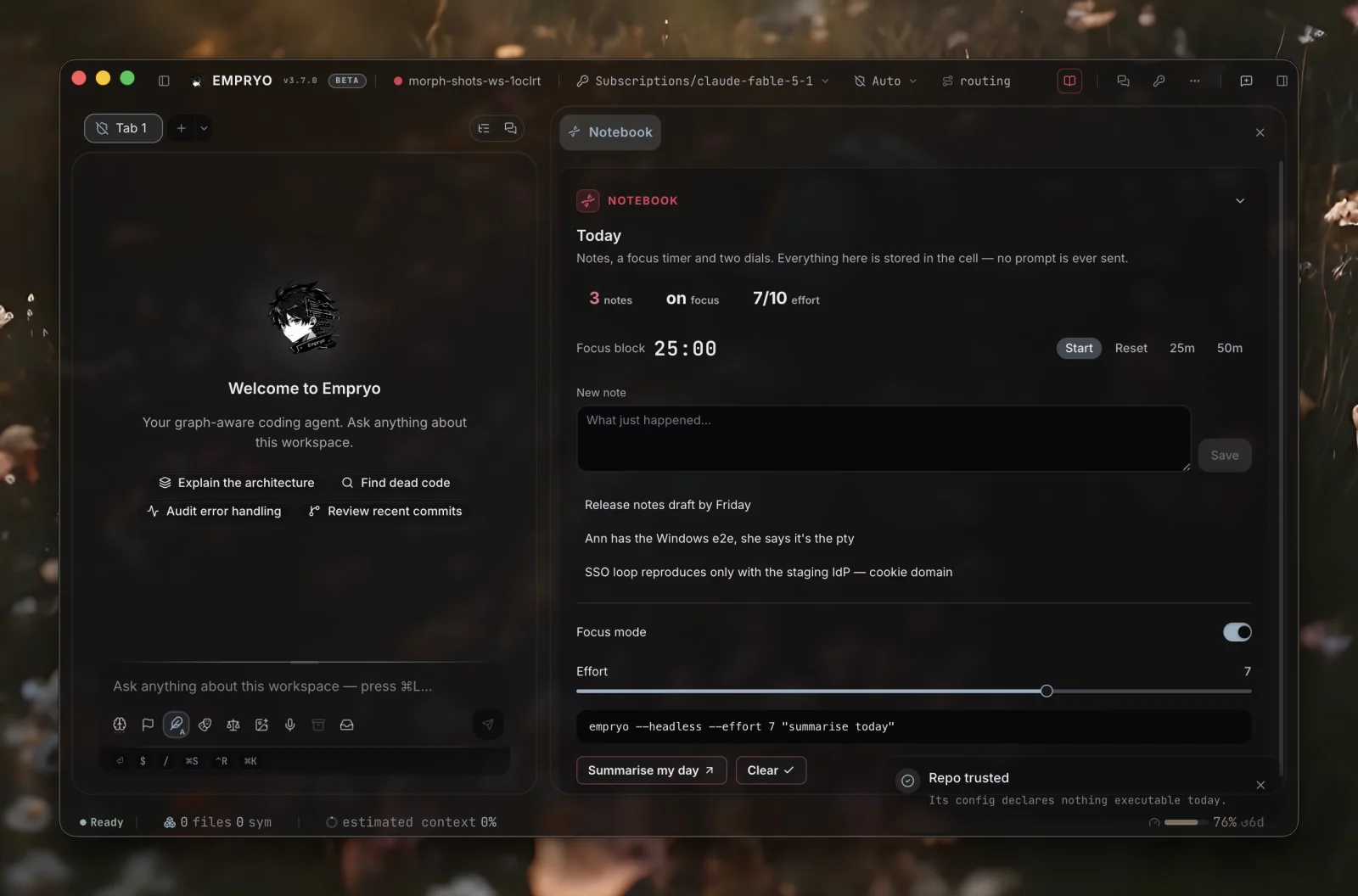
Open Cells & Morphs (/morphs), choose Start from… → The lab (every part) and turn it on. This one morph shows every kind of part a morph can have: numbers, a chart, controls, notes, pictures, tabs, an embedded page, and a small piece of custom code. Look around, then describe the morph you actually want. The agent writes it, and you can delete the lab.
To try a board: choose Start from… → Spec board (canvas). Make a specs/ folder with one markdown file per feature, each starting with status: todo. Then run /canvas. Drag a card to *In progress*: the file is updated and an agent starts working on that spec in its own tab.
Work it directlyLink to this section
A morph's panel is something you use directly. It is not just a row of buttons that write prompts. For each control, the author picks what it does:
- Do it here. A field stores what you type. A list can be edited in place (rename, delete, reorder, tick off). A toggle, slider or checkbox writes straight to the morph's state. A timer counts down and fires at zero. A button can
set,append,remove,toggleorinc(increase) a state value. Acallsends a request to the morph's own API (moving a ticket, adding a label, posting a message). The app sends it, asks you to confirm unless the author turned that off, and refreshes the board afterwards. - Ask the agent. A
promptis placed in the composer for you to send. Withsend: trueit is sent right away. Use this only where the agent is really needed. - Dress it. While it is on, a morph can restyle the prompt box, the title bar, the status bar or a chat's frame. See Decorate.
- Say it.
notifyshows one of the app's notices, starting with the morph's name:{ "label": "Post it", "call": { … }, "notify": "Posting to the tracker…" }. AddnotifyTone(info,success,warnorerror),notifyDetailfor a second line, andnotifySystem: truefor an operating-system notification when the app window is not in front. Triggers use the same kind of notice. - Show.
open: "surface"brings the morph's own panel forward (its pane tab, center tab or floating card).open: "<popup>"opens one of its popups.
For example, a search box that stores q plus a feed whose URL contains {{state.q | url}} gives you search and results with no agent involved. A gallery item or a row with attach puts its image into your composer as a real attachment.
A morph has two layers. The UI layer changes what you see, and each part appears where a built-in feature would: a tab in the context pane, a section above the file tree, a button in the title bar, an entry in the command palette. The agent layer changes how the agent works: rules it follows, lookups it can call, guards on its tools, and state it can write.
The UI layerLink to this section
| Part | What it adds to the app | Key |
|---|---|---|
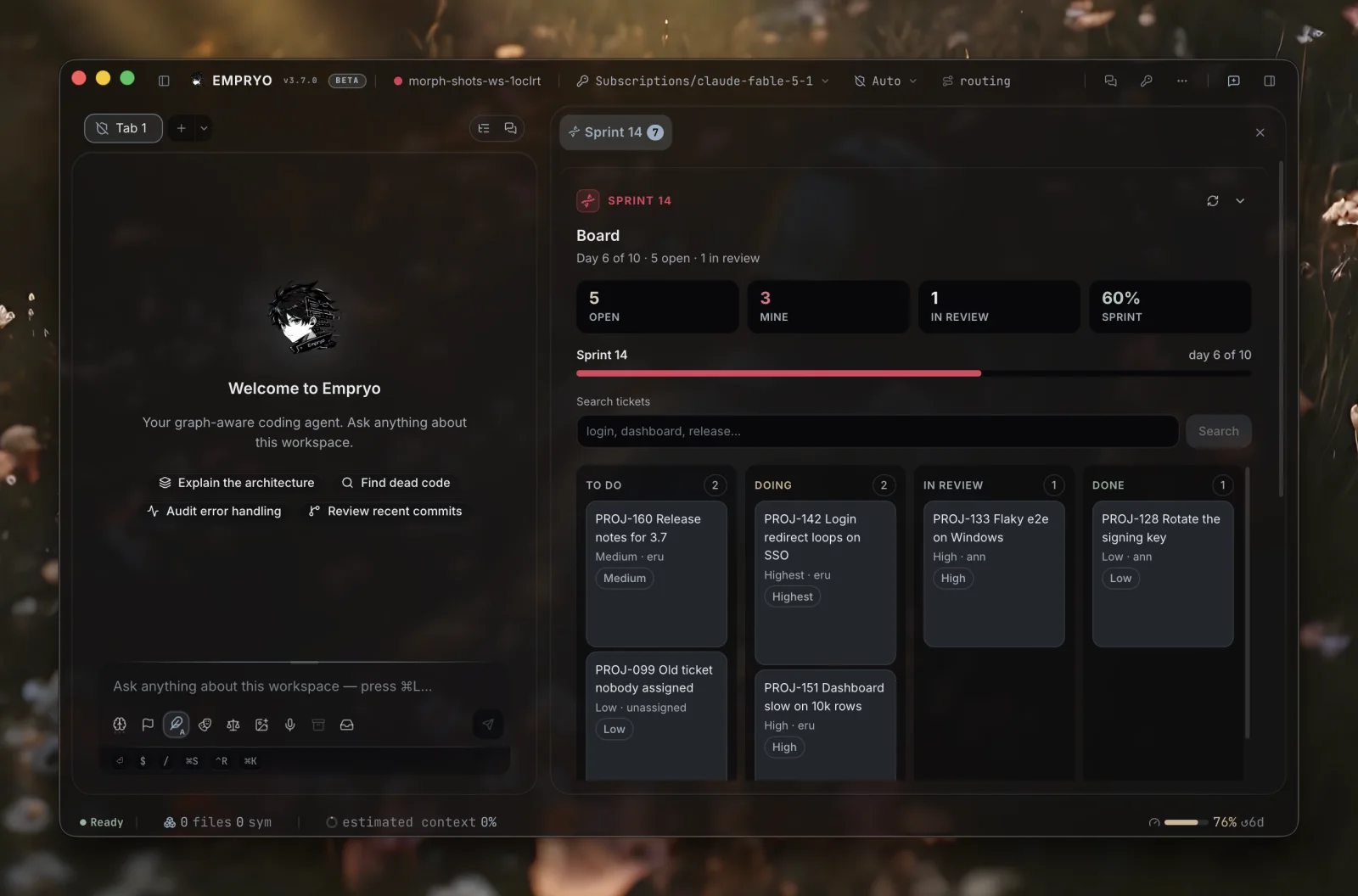
| Surface | A panel. It can hold stats, progress bars, badges, key/value rows, a board of grouped rows and action buttons. It can also hold fields (text you type, stored or turned into a prompt), notes (your own editable list), checkboxes, toggles and sliders (tied to state), timers, code, image galleries, kanban columns you drag between, dropdowns, tables, tabs, lists, charts and embedded pages. place decides where the panel goes: tab (its own full pane, the default for a panel with things to do), side (a tab in the context pane), sidebar (a section above the file tree), float (a card in the corner), dock (a strip just above the composer) or canvas (the whole workspace, instead of the chat). chrome: "plain" removes the card frame. You have the same switch for every morph | surface |
| Extension | Blocks placed in a specific part of the app itself: a tab next to My work and My tools, a chat's header, the strip under the composer, the title bar, the status bar, the top of My tools. place asks the app for room. An extension names the exact place instead. target is one of fourteen places the app offers, and it shows the same blocks a panel can. You turn each extension on in My tools | extensions |
| Popup | A window of blocks and actions, opened by its id from a button, a row, a palette entry or a trigger. Three shapes: dialog is centered, sheet is attached to the right edge at full height, drawer is a band across the bottom | popups |
| Palette | An entry in the ⌘K command palette | palette |
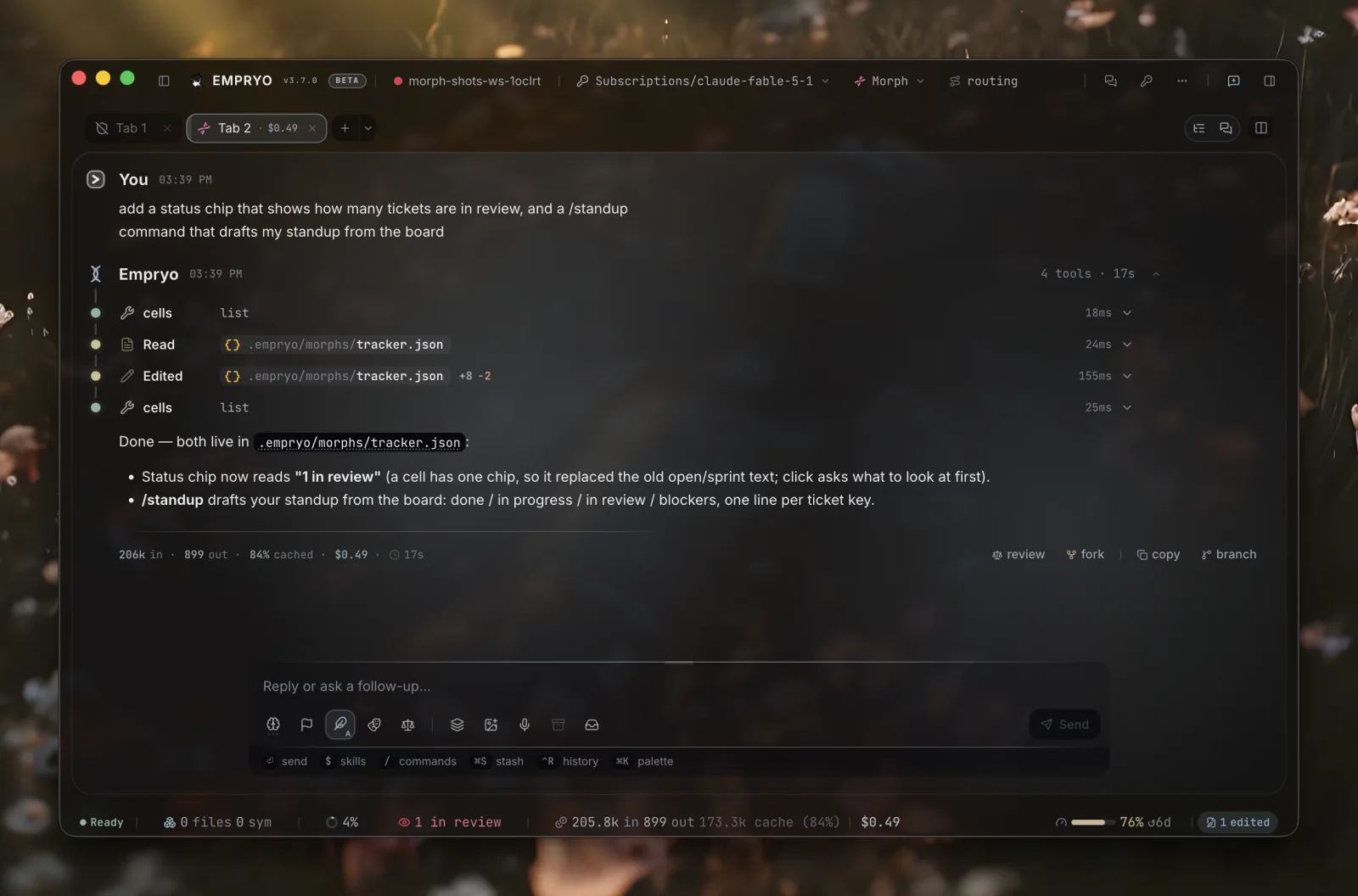
| Status | One chip in the status bar. Its text can count live rows: {{pulses.jira.count}} open | status |
| Pulse | A JSON feed the app fetches on a schedule and shows as rows on the board. The source can be an API, the engine itself (engine://…), or a folder in the repository (files://specs/*.md, one file per card, with the file's frontmatter as its fields) | pulses |
| Run | A button, a row action or a kanban column that sets the engine to work on that card. A tab of its own opens with the model and mode the morph asked for, and works while you stay on the board | run |
| Command | A /name command in the composer. Enter sends the command's prompt, with anything you typed after the command added to the end | commands |
| Reflex | A keyboard shortcut that places a prompt in the composer: mod+shift+1 | reflexes |
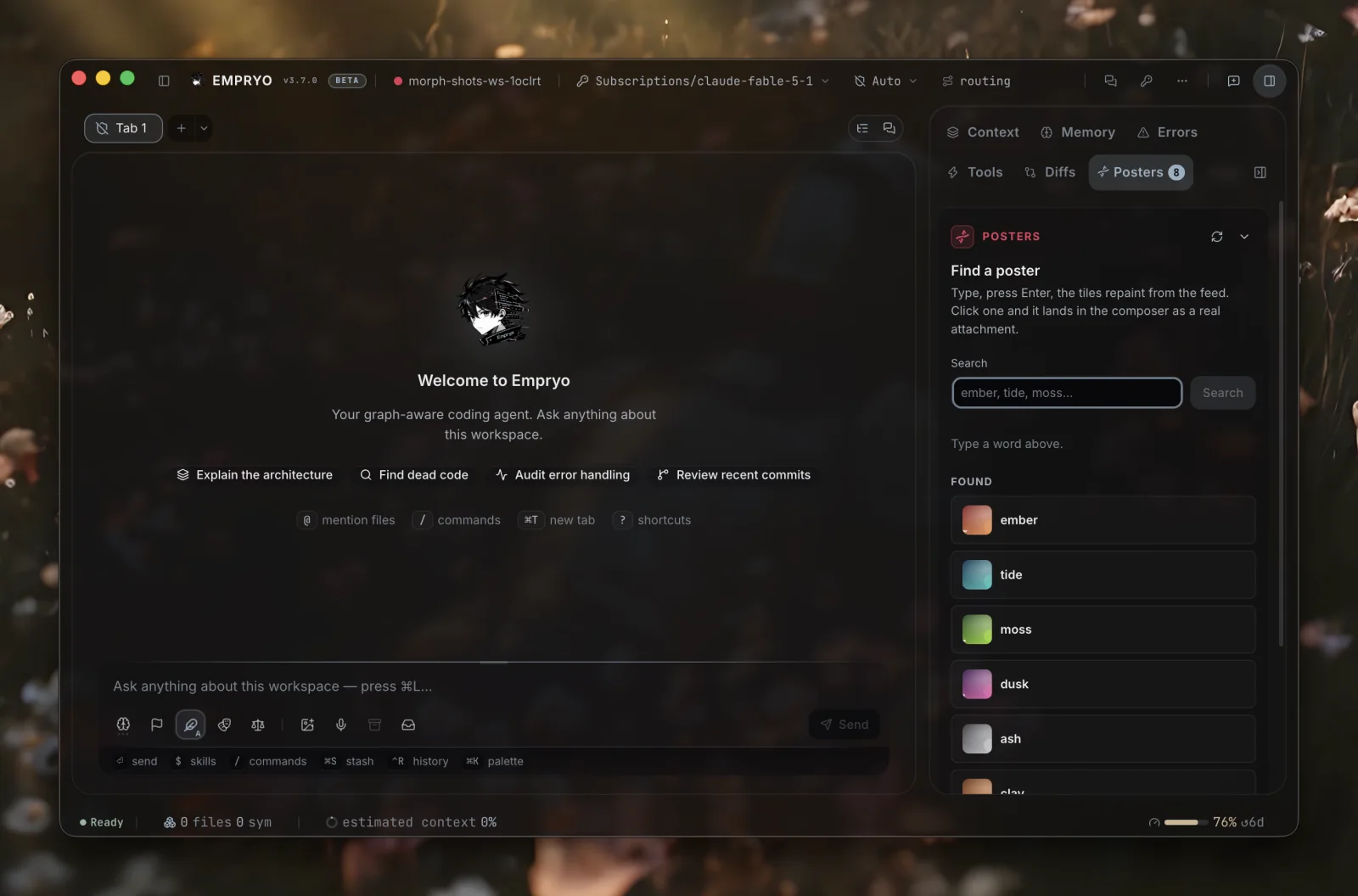
| Welcome | Suggestion buttons shown on an empty tab | welcome |
| Toolbar | Buttons in the title bar next to the app's own. One click can show the panel, change state, call the API, place a prompt, open a link or copy text | toolbar |
| Trigger | A reaction to an event: a turn ends, files change, a pulse gets new rows or fails, a timer reaches zero, the clock reaches 09:30 on weekdays. The reaction is a notice, a sound, an operating-system notification, or a prompt placed in an empty composer | triggers |
| Pigment | While the morph is on, the app uses the morph's accent color. With theme it switches to a theme (nord, dracula, or one of your own) and goes back to yours when the morph turns off. backdrop puts a picture behind the whole chat. decorate restyles one of the app's own parts (the prompt, the title bar, the status bar, a chat's frame) | pigment |
| Helper | A local program the morph needs, such as a script that reads what Spotify is playing, follows a build, or polls a sensor. The app starts it when the morph turns on and stops it when the morph turns off | helper |
An action can have layout: a Focus button that rearranges the window when clicked. It takes one true/false value per pane: sidebar (the file tree), context, map, terminal, browser, cells, canvas, graph, plan, router, and split for chats side by side. "centre": "chat|canvas|graph|plan|router|browser|map|cells" picks what fills the middle. "chat" gives the middle back to the chat *without* closing the board that was there. Keys you leave out are not changed. The two per-chat panes (graph and plan) follow the pane where the button was pressed, not whichever tab has focus.
An action can also have run, the one control that starts work (see Runs). A desk (a tab tied to a board row, see Desks) can have mode, model and skills: the tab it opens starts in that mode, with that model and those skills loaded. For example, a review desk in architect mode on a larger model, or a ticket desk in plan mode with your team's conventions.
Every control acts only when you click, press a key or press Enter. A trigger can tell you something (a notice, a sound, a system notification) or offer a prompt in an empty composer, but it never sends a prompt by itself. A morph only adds to the app. It never removes, hides or renames anything the app already has.
Settings, conditions, and where a morph livesLink to this section
Settings. A morph can declare vars, its settings. {{var:HOST}} works anywhere in the file: a URL, a header, a prompt, a row template. You fill in your values once in Cells & Morphs, and they are stored outside the file, so one shared morph works for everyone on a team. If a var has no value and no default, the morph's feeds wait until you fill it in.
Conditions. when makes a morph sleep unless its conditions are met: a branch pattern (release/*), files that must exist, an operating system, environment variable names, weekdays, a time window. A sleeping morph stays in the list with the reason, and wakes up on its own when the conditions are met.
Rules per mode. instructions can be a map by mode (plan, architect, default, and * for all modes), so the agent gets planning rules while planning and building rules while building.
Rules with scope. rules is a list of { text, when }. This is the same idea as Cursor's globs, Copilot's applyTo and Windsurf's activation modes: a rule only reaches the agent when its when matches. paths are globs over the files the turn mentions (src/api/**, *.test.ts). mode lists modes. branch is a glob. desk: true means only inside a desk tab. All conditions you list must match. instructions always apply, and rules add to them when they match. Rules belong to the agent layer, so they wait for your approval, and wait again if they are edited.
"rules": [
  { "text": "Validate at the boundary; never trust a request body.", "when": { "paths": ["src/api/**"] } },
  { "text": "List risks before steps.", "when": { "mode": ["plan"] } },
  { "text": "Stay on the ticket; note anything else for later.", "when": { "desk": true } }
]
Three locations.
.empryo/morphs/is yours, in this repository. Empryo keeps.empryoout of git..cells/is committed, so everyone who clones the repository gets the morph.~/.empryo/morphs/is yours, in every repository.
When two morphs have the same id, the more specific one wins: your project copy hides the team's, which hides the global one. Make my copy copies a shared morph into your project folder. Remove your copy and the shared one comes back.
Where your settings live. The file describes the morph. Your on/off switch, your var values and the live state of a shared morph (team or global) are stored in this project's .empryo/cells-state.json, not in the committed file and not in other repositories. So a global Jira morph can have a different PROJECT_KEY in each repository, be off in one and on in the others, and keep separate progress in each.
The order is the same as in VS Code: the project setting beats your global setting, which beats the file. A global morph can also have a value or switch set for every project, used wherever no project setting exists. The card says which one applies ("Off here", "On everywhere", "here and for every project"), and one click removes an override. /cells off <id> everywhere and empryo cells off <id> everywhere do the same from the keyboard. When the agent runs cells set on a shared morph, it writes to this project's settings, and the file's state stays as the starting value.
The agent layerLink to this section
| Part | What it gives the agent | Key |
|---|---|---|
| Instructions | Rules the agent follows while the morph is on, with the same weight as project instructions | instructions |
| Lookup | A read-only HTTP GET the agent can call through the cells tool. Named parameters are URL-encoded into {{holes}}. The same address rules as a pulse apply, and the host must be written out in full | lookups |
| Guard | A rule every matching tool call is checked against before it runs: tool (a name or glob), match (a glob or /regex/ over the command, path or URL), decision (deny or ask) and reason | guards |
| State | Key/value pairs the agent writes with cells set and every template reads as {{state.key}}. The values are saved and the panel updates | state |
This is not the same as a hook. A hook is a shell command that watches or blocks the agent. A morph gives the agent abilities and a shared workspace you can both see. Guards are the only overlap, and they are plain data: no shell, and they cannot rewrite a call.
The agent layer needs its own yesLink to this section
Turning a morph on turns on its UI. Its agent layer (instructions, lookups, guards) stays held until you approve it in Cells & Morphs, where you can read exactly what it declares.
Your approval stores a fingerprint of that layer on your machine, never in the shared file. If the file's agent layer changes later (a git pull of a shared morph, or an edit by any tool), the layer is held again and the panel tells you. The UI keeps working in the meantime. A change that only affects the UI does not need a new approval.
This protects you from a common attack on AI tools, where text that steers the agent is quietly changed after you approved it. What you approve is exactly what runs, and any change needs a new approval.
A held morph always tells you. When a morph needs your approval, for its agent layer or for a helper it wants to run, the app shows a notice with the morph's name. Click it to open Cells & Morphs on that morph, with the approval card at the top. The morph's own cell.held trigger fires at the same moment.
Which sessions morphs reachLink to this section
By default, a morph only reaches the agent in morph mode, the dedicated tab where the Cellwright (the agent that builds morphs) works. A normal coding session has no cells tool, no morph instructions and no board context: the morph is your UI, not the model's.
To change that, turn on Morphs reach every session in the panel (global config "cells": { "reach": "all" }). Then you can say "work on PROJ-142 from my board" in any tab. Guards apply in both settings.
Hidden from the agentLink to this section
You can hide any morph from the agent on its card in Cells & Morphs: Agent access → hidden. A hidden morph still works on screen (its board, chip, buttons and popups), but the agent cannot see it at all. It is not in cells list, and the agent gets no rows, lookups, state writes, instructions, desk or guards from it (a guard's refusal would reveal its name).
Use this for private messages, a personal board, or anything with a credential. The setting is yours, per project (.empryo/cells-state.json). It is never written into the morph file, it survives git pull, and it overrides every other setting, including "reach every session" and auto-approve.
Hiding closes every route the app controls, not only the cells tool. The agent's file and shell tools cannot read the morph's file or its saved state, and the refusal does not name the morph. Engine feeds leave hidden morphs out.
Hiding cannot remove a committed file's name from the repository, or take back what the agent already saw earlier in a session. If nobody should even know a morph exists, keep it in the global folder, not the repository.
Desks, one click from a board row to its own tabLink to this section
Switching between tasks costs time and attention, and a short note about where you left off makes it easier to come back. Desks give each piece of work its own place to return to.
A row with desk is a place: { "text": "PROJ-142 Login loops", "desk": { "id": "PROJ-142", "prompt": "Work on PROJ-142." } }. From a pulse, use "map": { "desk": "{{key}}", "prompt": "Work on {{key}}." }.
Click the row and a tab opens, named after the row, with the prompt placed in the composer (not sent). The row is included in every turn of that tab as a <desk> block, so "continue" means the same thing tomorrow. Click the row again from anywhere and you go back to the same tab. A strip above the composer shows how long you were away, the last thing said there, and a Resume button. The link between row and tab survives restarts. Closing the tab releases the row.
A row with tab focuses that tab when clicked. engine://attention rows include a tabId, so an Inbox morph (Start from… → Inbox) can list failed reviews, finished agents and busy tabs, each row a shortcut to the right tab.
CredentialsLink to this section
A pulse or lookup can send headers: "headers": { "authorization": "Bearer {{secret:JIRA_TOKEN}}" }. {{secret:NAME}} reads Empryo's key store (/keys) and {{env:NAME}} reads an environment variable. The app fills in the values just before sending the request. They never reach the app's interface or the model. The morph's card lists only the names of the secrets and whether each one is set.
These rules keep a credential safe:
- Approval covers where it goes. A morph that uses a secret is held until you approve it in Cells & Morphs. The approval card names the secrets and the hosts they are sent to. If either changes (for example, a
git pullthat points the token at a new host), the morph is held again. - Empryo's own keys are refused.
ANTHROPIC_API_KEY,OPENAI_API_KEY, search and login keys, and any other secret Empryo itself uses resolve to nothing in a morph, whichever way it asks. The card marks them *refused*. - Credentials stay with their host. If a request is redirected to another host, the credentials are not sent there. A missing secret makes the pulse report the problem instead of sending an empty token. A morph cannot set the
host,cookie,originorrefererheaders. - The host is written out. A
{{hole}}in the host part of a pulse, call or lookup URL (https://{{state.host}}/…) is rejected when the file is checked. No feed row, morph state or agent can choose where a credential goes. Only{{var:NAME}}(your own value from Cells & Morphs) may appear in a host. A filled-in hole in the path cannot escape the path either: a row or parameter can change what a request asks for, but never where it goes.
Instructions, per modeLink to this section
instructions is usually one line the agent always reads. You can also write it per mode, { "plan": "…", "architect": "…", "*": "…" }, so the morph says one thing while you plan and another while code is written. * applies to every mode. Like the rest of the agent layer, it waits for your approval and is held again when the file changes.
Organisation policyLink to this section
Organisations can set rules for morphs in the global config (~/.empryo/config.json, never in a repository):
"cells": {
  "requireSigned": "official" | "trusted" | "any",
  "trustedKeys": ["<base64 Ed25519 public key>"],
  "directories": ["https://git.example/cells/index.json"],
  "reach": "morph" | "all",
  "autoApprove": false,
  "views": "any" | "signed" | "off"
}requireSignedloads morphs that are unsigned or changed after signing as off, with the reason on the card.officialaccepts only Empryo's keys.trustedalso accepts the keys intrustedKeys.directorieslists internal morph catalogs. They appear under Start from… → Directory, labeled by host.viewscontrols custom code in morphs (see Views).
What the agent is holdingLink to this section
When you ask for a morph, the agent that answers is the Cellwright. It is a dedicated agent for building morphs, separate from the coding agent. These are all its tools, so you know what it can and cannot do while it builds:
| It can | With |
|---|---|
| Read your project, to write a morph that fits it | read, grep, find, list_dir, code_script (read-only) |
| Understand the code the morph is about | navigate, genome_query, genome_analyze, genome_impact, analyze |
| Write and revise the morph file | edit_file, multi_edit, undo_edit |
| See the result: live rows, feed health, a screenshot | cells (list, board, debug, shot, refresh, lookup, set, scope, desk, install) |
| Check an API's real response before mapping a feed | web_search, fetch_page |
| Read history, ask you a question, keep a checklist, remember | git, ask_user, task_list, memory |
It does not have tools to run your project's code, use the shell, run tests or hand work to other agents. It builds the morph and shows you. Work that a morph starts is done by the normal coding agent, in its own tab.
Build your own pickerLink to this section
When the control you want is an app menu a morph cannot reach, build your own picker instead. You need three parts:
- A feed.
engine://sessions/recent(orworktrees,agents/custom,tabs/open,git/branches,review/ledgerand others) lists what exists. - A popup.
"popups": [{ "id": "sessions", "shape": "sheet", "blocks": […] }]holds the list. A links tile with"open": "sessions"puts a button on your board that opens it. - An action. A row action or tile whose prompt is the command that does the work:
"/session load {{id}}","/review","/canvas". It runs through the app's own command handling, so the action really happens.
The roadmap starter does this for sessions: a tile opens a sheet, the sheet lists your recent sessions and when each was last used, and each row loads its session.
The agent drives its own workLink to this section
Besides reading (debug) and looking (shot), the agent can use a live morph the way you would:
pressworks a control exactly like a click. It can target an intent by name, a panel action or button by its label (in the panel, a popup or an extension), a row by its text, or"<row> › <action>"for a row's own control. It then reports how the morph's state, feeds and rows changed.simulateraises an app event (turn.done,tool.call,run.done,pulse.changedand so on) against the morph's triggers, with the values you ask for. It reports which triggers fired and what each did. They really fire, including cooldowns.watchlistens for a few seconds to everything the morph can hear from the engine and from its own updates, and returns a timeline.
The working loop is: build, debug, press or simulate, watch, shot. None of these use a shortcut around the app. The agent presses the same buttons you would.
The agent looks at its own workLink to this section
Two questions, two tools. cells debug <id> says what the morph is: its checked structure, what was dropped, which feed is empty. cells shot <id> says what it looks like: the app draws the morph and gives the agent the picture.
widths="dock,side,tab,canvas" (or plain numbers) takes several pictures, so a panel can be checked at the size where it will actually appear. widths="extension:<id>" takes a picture of one extension instead: a workspace.tab page at page width, or a strip at the width of its place, so a chat header or composer strip gets checked the same way.
A title that ran out of room, a block that came out empty, or a control with no label is easy to miss in the file and obvious in the picture. Screenshots only work on the desktop. Elsewhere, debug is all there is.
The agent checks its own workLink to this section
cells list names what a morph restyles (decorates composer:pulse). cells debug prints the resolved decorate map and every {{lane.*}} hole it left for the chat to fill. That way "the style I asked for was dropped" and "this strip never reaches a chat" show up while the agent is building, not later on your screen.
cells debug <id> returns what the app will actually draw, not the JSON as written: where it is placed, the block tree, a kanban's columns with the number of cards in each (plus any row group that matches no column, which is how you find a card that can never appear), the first rows with their mapped fields, each pulse's status and row count, the helper, and the computed reach. The Cellwright works in this loop: write the file, debug it, fix what was dropped.
The agent opens desks tooLink to this section
cells has a desk action. When you say "let's work on PROJ-142", the agent opens (or goes back to) that row's tab for you. engine://desks lists every tab tied to a row (title, busy or idle, tab), so a "where was I" morph needs only one pulse.
Grid, putting things where you want themLink to this section
Every other block says *what* to show. grid says *where*:
{ "kind": "grid", "columns": 3, "gap": "l", "items": [
  { "span": 2, "label": "This week", "blocks": [ { "kind": "chart", "points": [] } ] },
  { "blocks": [ { "kind": "stats", "items": [] } ] },
  { "blocks": [ { "kind": "progress", "label": "Build", "value": 62 } ] }
] }
Use one to six equal columns, or "columns": "auto" for as many as fit at min pixels each. The auto grid reflows when the pane gets narrower. An item can span more than one column and have a label (a section heading without a divider). Grids can only go one level deep: a grid holds blocks, not more grids, so the layout stays easy to picture.
A grid works anywhere blocks work: a panel, a popup, the canvas rail, the inspector. Everything inside follows the same rules as at the top level. A call, run or view inside a grid still counts toward the morph's reach and still needs your approval.
How a board arranges itselfLink to this section
layout decides the shape. The default is usually the right choice:
layout | What you get |
|---|---|
board (default) | Columns side by side, each scrolling on its own. Nothing floats or overlaps. For a pipeline, a backlog, a queue. |
grid | Cards flow into as many columns as fit the width. For a gallery or a wall of readings. |
rows | One full-width column, limited to a comfortable reading width. For a log, a feed, a list. |
free | A loose canvas you can pan, zoom and arrange by hand. Only worth it when *position* means something, like a map or a hand-arranged graph. |
Panning and zooming only exist in free. In the other three, the board behaves like every other pane: it scrolls, the columns stay in place, and cards never land on top of each other.
The canvas, a board instead of the chatLink to this section
"place": "canvas" gives a morph the whole window. The chat is not closed. It moves aside, and every tab keeps working behind the board. Press Chat (or run /canvas again) to switch back.
A canvas morph is a board with cards. Compared to a docked board, you also get:
- Moving around. Drag empty space or scroll to pan. Zoom with ⌘/Ctrl + scroll or the +/− buttons. The point under your cursor stays in place.
- Keyboard control. Tab to a card.
Enteropens its tab,[and]move it one column left or right, andrstarts its run. - Cards that show progress. If a tab is open for a card, the card shows working while it runs and the cost when it finishes.
- Buttons on the card. Whatever the morph attached to the row (a link, a tracker call, a popup, a state change) appears as a button on the card. There is also Run if the row has a run, and Open for its tab.
- One model choice. The header has a model picker. Every run started from the board uses that model.
- Your own board.
"board": "none"on the surface makes the rows data only. Templates, alistwithfrom, and views can still read them, but the app draws no columns, and the morph's blocks fill the center. That way aviewcan be the whole board. On a pulse,"paint": falsedoes the same for that one feed. A kanban with"lanes": []is a plain kanban, not an empty one.
The canvas stays smooth with many cards. Moving the board moves one layer without redrawing it, and cards outside the visible area are not drawn. A board of two hundred cards pans like a board of three.
A folder of files as the dataLink to this section
A feed's url can be files://specs/*.md: files in the project you have open. No network and no keys are needed.
Each file becomes one card. The key: value block at the top becomes the card's fields, and the first # heading becomes its title. path, file, name, summary and updated are added for free. files://docs/**/*.md includes subfolders. Hidden files and node_modules are skipped. The limits are 200 files and 64 KB per file, and the path can never leave the project.
{ "id": "specs", "url": "files://specs/*.md", "every": 15,
  "map": { "text": "{{title}}", "detail": "{{summary}}", "group": "{{status}}", "path": "{{path}}", "desk": "{{name}}" } }
Files without any fields still work. {{summary | match:shipped=shipped:wip=doing:paused=parked | default:next}} reads the file's own words, and the first matching phrase wins. A folder of ordinary notes becomes a board without anyone adding headers first. Drag a card once and the status is written into the file.
When you drag a card, the change is written back into its file: "onMove": { "write": { "field": "status", "pathField": "path" } } adds or updates status: doing in that file's frontmatter. Only the frontmatter changes, the body is untouched, and the change shows up in git diff.
A pipeline, not just a listLink to this section
A board can have a second direction. Give it lanes and each lane becomes a row of cards across the columns. The lane is the thing that moves (a spec, a ticket, a release) and the column is the stage it is in.
laneField names the row field that decides a card's lane (lane by default), just as field names the one that decides its column. A card says which lane it belongs to with lane. A card can also have progress (0 to 100) to show a thin progress bar.
The canvas can also have two side panels, both made of ordinary blocks:
railis a column on the left, for what is next, what is queued, and buttons you press often.inspectoris a panel on the right about the card you last clicked. Clicking a card writes its id and fields into the morph's state ({{state.selected}},{{state.selected_text}},{{state.selected_lane}}, and one per mapped field). The inspector's blocks, and any feed whose URL uses that state, then show details of that card.
Together that gives you a full orchestration board: a backlog on the left, work moving through stages in the middle, details and history on the right, and buttons on the cards that start agents.
Motion, when the movement is the pointLink to this section
A morph's own code (a view block) gets the app's animation library, anime.js, already loaded. There is nothing to install:
export default ({ html, hooks, anime }) => function View() {
  const box = hooks.useRef(null);
  hooks.useEffect(() => {
    if (anime.reducedMotion) return;                    // asked for less movement: don't
    const a = anime.animate(box.current, { opacity: [0, 1], translateY: [8, 0], duration: 320 });
    return () => a.pause();                             // stops with the view
  }, []);
  return html`<div ref=${box}>arrived</div>`;
};animate, createTimeline, stagger, svg, utils, eases and reducedMotion are available.
Animate position and opacity. Those are cheap. Animating width, height, top or left makes the app recalculate the page layout on every frame, which a board of cards cannot afford. Keep the animation handle and stop it when the view goes away. Skip animation entirely when the system asks for reduced motion.
The standard parts already move on their own (a progress bar fills, a levels strip bounces, a timer counts). Use your own animation only when the motion is the point.
Runs, cards that do the workLink to this section
Any action, row action or kanban onMove can have a run:
"run": { "prompt": "Implement the spec in {{path}}.", "model": "anthropic/claude-sonnet-4-5",
         "mode": "plan", "skills": ["frontend-design"], "desk": "{{id}}", "background": true,
         "loop": true, "maxIterations": 4,
         "team": [ { "task": "Write the tests for {{path}}", "agent": "tester" }, { "task": "Review the design" } ] }
loop: trueturns the run into a goal loop instead of a single turn: a coder and a reviewer take turns until the reviewer says PASS, or untilmaxIterationsrounds (default 5). It runs on the desk tab, in the background.teammakes the run send out workers in parallel. Each works on one task, filled in from the card, optionally as a named custom agent. The run combines their results before it finishes.- A
buttonblock, action or intent can also have"desk": { "id": "{{id}}", "mode": "plan" }on its own, to open the row's tab without a prompt.
Boards that show agents can read engine://agents/background, engine://desks and engine://review/ledger, and react with the run.done, agent.done, review.done and goal.done triggers.
When you click, or when a card is dropped in a column named in runOn, a new tab starts on that row with the model and mode the morph asked for, and the prompt is sent.
With background: true (the default), nothing on your screen changes. No tab jumps to the front, nothing is written into the composer. The card shows the progress instead: a live dot while it works, the last thing the agent said, and the cost when it finishes. A Watch button lets you follow along if you want. background: false takes you to the tab. stage: true puts the prompt in the composer instead of sending it.
A card can have up to four run actions (Start, Plan, Review, …), each with its own desk, so one card can have several tabs of its own.
The tab a run opens always uses the coding agent, never morph mode, whatever your default mode is. Morph mode is for building morphs, and "implement this spec" is not that kind of work. A run or desk can still ask for a mode: "mode": "default" | "plan" | "architect" | "auto" | "socratic" | "challenge", and the tab opens in that mode.
A prompt that starts with / is a command, not text. It goes through the same path as a message you type, so "prompt": "/review" really starts a review and "/dispatch …" really dispatches.
When the run finishes, the board is told about its card: { "on": "run.done", "match": "<desk id>" } (and run.failed), with {{desk}} {{cell}} {{row}} {{cost}} {{duration}} {{files}} {{error}} available. The card can move itself to *In review*, post to an API, or just show a notice.
prompt, label and desk are filled in from the card before the run starts: {{path}}, {{title}}, {{text}}, {{id}}, {{column}} (the column it was dropped in), and every field the row's map named. A hole the card does not have becomes empty text, never literal braces.
Nothing here starts by itself. A run always starts from something you do, and it uses your own tokens. The morph's reach card counts every place that can start a run (starts). The Spec board starter (Start from… → Spec board) shows the whole flow in one file: specs/*.md become columns, you drop a card on *In progress*, and an agent works while you keep sorting.
The engine pushes tooLink to this section
An engine:// pulse does not wait for its next scheduled fetch. As soon as the engine reports something a feed depends on, the feed updates. For example:
- a turn starts or ends (
tabs/open,desks,attention,usage/models,sessions/recent) - a background agent makes progress (
agents/background) - a review or goal loop finishes (
review/ledger,attention) - a task changes (
tasks/open) - a file is edited or the file tree changes (
git/changes,diff/changes,git/branches,worktrees) - an error happens (
errors/recent) - MCP, skills or language server state changes
So a board of agents or changes is as live as the app itself. every only matters for things the engine does not announce.
Triggers can react to the same events: tool.call (a tool started, match is a tool glob, {{tool}}), agent.step ({{title}} {{tool}} {{state}} {{detail}}) and context.changed (a chat's context usage crossed another 10%, with {{pct}} {{tokens}} {{window}}, and match set to the level, such as "70").
Live sources, the feed pushes, you don't pollLink to this section
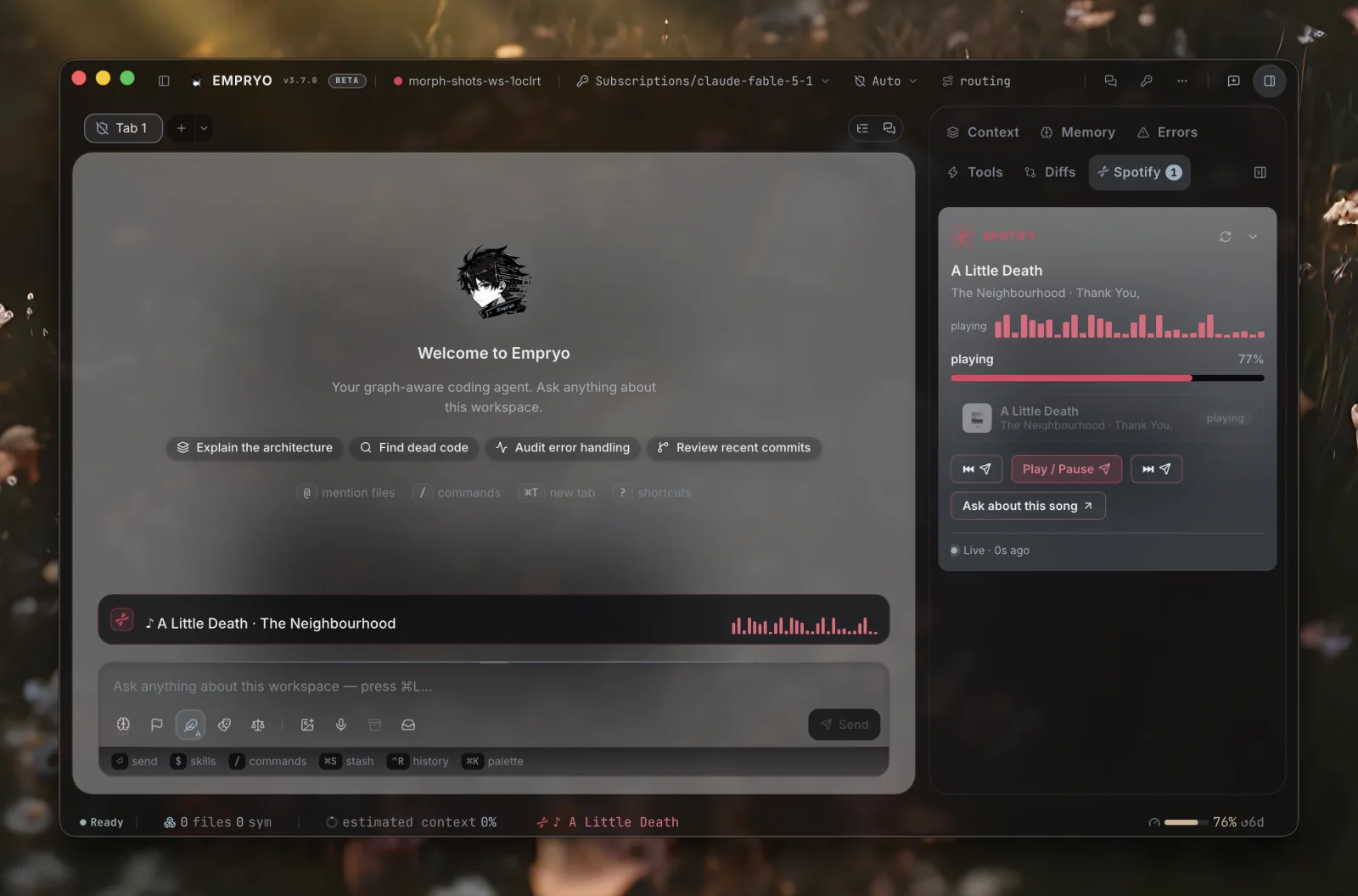
A feed's url can be wss://… (or ws://127.0.0.1:… for something running on your own machine). The app keeps the connection open while the morph is on, and each message from the server becomes rows right away. There is no interval and no waiting.
Everything else works exactly like a fetched feed: the same board, chip and triggers. The only visible difference is the footer, which says live instead of "every 60s".
{ "id": "builds", "url": "wss://ci.example.com/stream", "mode": "append", "limit": 40,
  "subscribe": { "watch": "{{state.repo}}" },
  "headers": { "authorization": "Bearer {{secret:CI_TOKEN}}" },
"map": { "text": "{{job}}", "detail": "{{status}}", "tone": "{{level}}" } }- With
mode: "replace"(the default), each message is the whole list, as in a dashboard. Withmode: "append", each message adds one row at the top, up tolimit, as in a log, a chat or a tail. subscribeis sent when the connection opens (a string, or an object sent as JSON). It can use the morph's state, so "watch the branch I picked" works.- The same safety rules as any feed apply: encrypted when leaving your machine, unencrypted only to your own machine, a fixed address, and keys only after you approve them. Live feeds add three more: messages over 128 KB are ignored, a feed that sends too much is slowed down so it cannot freeze the app, and a dropped connection retries with increasing waits.
- The card lists the feed as
live:ci.example.com. The connection closes as soon as the morph turns off, goes to sleep, or you edit its file.
Slots, a morph instead of part of the appLink to this section
place puts a morph where the app has left room for one. A slot goes further: the morph *replaces* that part of the window, and the app does not draw its own version.
slot | What it replaces |
|---|---|
transcript | The message list. You can still type, and the composer stays. |
composer | The input box. You can still read, and the message list stays. |
empty | The empty tab, before the first message. |
Three rules keep this safe:
- You can always undo it. Every replacement shows a small restore button. Press it and the app's own version comes back. A morph cannot remove that button.
- Never during an answer. A morph that replaces the input box steps aside while a turn is running, so Stop is always the app's own button.
- It goes away with the morph. Turn the morph off, let it sleep, or change the file, and that part of the window returns to normal.
With place: "canvas", that covers every size: a strip above the input, a pane, one part of the window, or the whole window.
Side by sideLink to this section
The app can show two chats next to each other, stack them, and group panes that no longer fit into one shared column. A morph works in all of these layouts without any extra setup.
- A panel keeps its place.
side,sidebar,tab,dockandcanvasare app panes, so they group, collapse and come back like the app's own panes. pane.headeris the one spot that appears once per visible chat. Each copy belongs to its own chat. A button there opens a desk, places a prompt or moves panels for the chat it sits in, not for whichever chat has focus. Keep it to one short line. It shares a row with the chat's name and close button, and hides itself when the pane is too narrow for both.- One morph has one state. Both copies read the same
{{state.*}}, because there is only one morph. For per-chat facts, use{{lane.*}}. - A floating card belongs to one conversation.
place: "float"sits over the focused chat's messages, never over the tab bar, another chat, or the strips above the prompt. - A morph can never push the prompt off screen. Strips below the input share one area that takes at most a third of the pane and scrolls on its own. The prompt stays where it is.
Facts about one chat: {{lane.*}}Link to this section
Most holes are filled once, before anything is drawn, so every copy shows the same value. Chat facts are different. When two chats are side by side, the same morph is drawn twice, so these holes are filled separately for each pane's own chat. (A "lane" is one chat tab.)
| Hole | What it contains |
|---|---|
{{lane.label}} | The tab's name |
{{lane.mode}} | Plan, Architect, Auto and so on |
{{lane.model}} | The short model name, like claude-opus-5 |
{{lane.cost}} | What this chat has spent, or empty |
{{lane.status}} | working while a turn runs, empty when idle |
{{lane.tab}} | The tab id, which a tab row action or a desk needs |
"text": "◆ {{lane.label}} · {{lane.status | default:idle}}" in a pane.header extension gives each chat its own status line. These facts are read-only. They are not morph state, the agent cannot write them, and nothing is saved. A fact a chat does not have comes out empty (or as the | default:… value), never as braces on screen.
DecorateLink to this section
pigment can do more than change colors. It can restyle one of the app's own parts while the morph is on.
"pigment": { "decorate": { "composer": "{{state.oncall | map:true=pulse:false=none}}", "statusbar": "edge" } }Parts: titlebar, pane (one chat's frame), composer (the prompt box), statusbar. Styles: edge (a still border), glow (a soft glow), pulse (a glow that slowly brightens and dims), sheen (a highlight that travels along the edge), none.
The morph does not supply CSS. The app draws the effect. The morph names a part and a style, and the color is the morph's accent. A style can be a template, so "make the prompt glow while I am on call" is one line. Animations only move and fade, and they stop when the system asks for reduced motion. Turn the morph off and the part goes back to normal.
PopupsLink to this section
A popup is a second place to put blocks. Give it an id, and any control opens it with "open": "<id>".
shape | Where it opens | Good for |
|---|---|---|
dialog | Centered, over everything | A short question, a confirmation, one form |
sheet | Attached to the right edge at full height, with the workspace still usable behind it | A list you read while you work, details about a row |
drawer | A band across the bottom | A log, a wide table, anything short and wide |
The app draws the frame, the title and the close button. The morph fills the body with the same blocks a panel uses, and its actions become buttons at the bottom. A sheet leaves the rest of the window usable. A dialog or drawer blocks the window until you close it.
Extensions, blocks in the app's own placesLink to this section
There are three ways a morph can appear in the app:
- A
placeasks the app for room, and the app decides where. - A slot replaces a part the app would normally draw.
- An extension names an exact place in the app and adds blocks there, while the app keeps everything it already shows. It only adds.
"extensions": [
  { "id": "mission-desk", "target": "workspace.tab", "title": "Mission desk", "icon": "radar",
    "blocks": [ { "kind": "list", "from": "missions", "select": true } ] },
  { "id": "mission-strip", "target": "chat.header", "title": "On mission",
    "blocks": [ { "kind": "text", "text": "{{state.mission | default:idle}}", "size": "s" } ] }
]
target | Where the blocks appear | Shape |
|---|---|---|
workspace.tab | A tab next to My work and My tools, with its own back/forward history. Opening it never starts a conversation and never replaces work in progress. | a page |
titlebar.after | The top bar, next to the Panels menu. For buttons and readings that belong with the window controls. | one row |
work.header | The strip above the current work view. A status line about what the workspace is doing now. | a column |
work.footer | Below the work view and everything on the page. A total, a summary, a next step. | a column |
files.after | The bottom of the file sidebar, under the tree. A branch reading, a checklist about the files in front of you. | a column |
pane.header | The strip that names a chat when chats are side by side. See Side by side. | one row, per chat |
chat.header | Above the messages, under the title bar. Context for the conversation you are reading. | the chat column |
chat.footer | Below the messages and above the composer. What to do next about what was just said. | the chat column |
composer.before | Between the messages and the input box. Chips, pickers and counters you read while typing. | the chat column |
composer.after | Under the input box. Hints, budgets, a checklist before sending. | the chat column |
context.before | Above the context pane's tabs, on the right. What this chat is holding, shown before whichever tab is open. | a column |
tools.before | Above the built-in tool list, where a morph's controls sit at the same level as the app's. | a column |
tools.after | Under the built-in tool list, for secondary controls that should not crowd the top. | a column |
status.after | The bottom bar, after the app's own readings. A chip, a count, a small button. | one row |
The app decides the shape, not the morph. The same blocks become a column in a pane, one shortened row in a bar, or a block at reading width in the chat column. The morph says *what* to show, and the place decides how it looks.
The list of places is fixed. A target that is not in this list cannot be used, so an extension can never reach into an arbitrary part of the window.
These rules make an extension safe to leave on:
- You turn it on. Turning on the morph shows its panel. Each extension is listed separately in My tools with its place and blocks, and stays off until you turn it on there. One switch per extension, not one per file.
- It only adds. Nothing the app shows in that place is moved, hidden or renamed. The extension sits next to it. That is the difference from a slot, which replaces and so always has a restore button.
- The same checks as everything else. Blocks are checked the same way, and
{{holes}}are filled in by the app. Aviewin an extension is custom code: it counts toward reach, needs agent-layer approval, and is dropped when the organisation'scells.viewspolicy blocks views. So a live extension may show fewer blocks than the file declares, and the card says so. - One morph, several places, one state. The app tracks each extension as
${cell id}:${extension id}. A morph can put a board inworkspace.taband a one-line summary inchat.header, both reading the samestateand using the same declaredintents. They never get out of sync, because there is only one morph. - A page is a destination.
"open": "extension:<id>"on any control (a row action, a toolbar button, a trigger, an intent, a shortcut) opens the morph'sworkspace.tabpage, with the same history and back button as a built-in tab. It never turns a page on: a page you switched off shows a notice with its switch. A place that is not a page cannot be opened this way, and the app shows a hint instead.
The agent can use and screenshot an extension the same way as a panel: cells press <id> "<button label>" finds a control inside an extension, and cells shot <id> widths="extension:<ext>" draws that one extension at its place's width.
The engine as a source, and buttons that actLink to this section
A pulse's url can read data from Empryo itself:
- Git and files:
engine://git/changes,git/branches,git/log,worktrees,diff/changes - Sessions and history:
sessions/recent,memory/recent,history/recent,review/ledger - Agents and tabs:
agents/background,agents/custom,tasks/open,tabs/open,attention,desks,cells/live - Code map and tools:
genome/stats,genome/active,errors/recent,mcp/servers,skills/installed,hooks,usage/models,lsp/servers - Orchestration:
orchestration/runs(every run:status,done/totalnodes,tokens,liveagents, and a paused gate's question andoptions),orchestration/live(one row per node of every live run:stateidle/running/ok/fail/gate/detached,steps,tokens,model,lastTool,edges, enough to draw the run as a graph) - Agent messages:
link/rooms(councils and debates between agents:members,topic,lastline),link/traffic(recent messages between agents:from,to,room,text,files)
These rows are the app's own data. They use the same templates. A "This workspace" morph that lists your uncommitted files next to your MCP servers takes six lines.
A control whose prompt is a command runs that command: { "label": "Routing", "prompt": "/agent-features" } opens the routing settings, "/review" starts a review, and "/usage" opens the usage panel. It goes through the app's own command handling, so nothing is written into the composer and nothing waits for Enter. If the app has no handler for that command, the prompt goes into the composer and you decide whether to send it.
An action, row or toolbar button with send: true sends its prompt right away instead of placing it in the composer. Slash commands work too, so a morph can drive Empryo's own commands: { "label": "Review my changes", "prompt": "/review", "send": true }.
Every hostLink to this section
Only the desktop app draws a morph's panels. The agent layer (the cells tool, the morph's instructions, lookups and guards) works the same in the terminal UI and in --headless runs.
In the terminal UI, /cells lists morphs, approves or revokes an agent layer, and turns a morph on or off. From a script, empryo cells <list|approve|revoke|on|off> [id] does the same. One approval covers every way you run Empryo.
Signed morphsLink to this section
A morph can carry an Ed25519 signature over its content (everything except signature, source, enabled and state). The Cells & Morphs panel shows:
- Signed by Empryo for a key Empryo ships
- Signed · key … for any other key
- Signature invalid when the file changed after it was signed
Signatures matter when your organisation requires them (see Organisation policy). Never edit the signature field by hand.
Where morphs live, and sharingLink to this section
A new morph is yours in every repository by default: it is saved in ~/.empryo/morphs/*.json, and the panel shows "every project" next to it. A morph about one repository (its board, its tests, its deploys) belongs in that repository's .empryo/morphs/*.json, where it overrides a global morph with the same id. .cells/*.json is committed for the whole team. You can move a morph between the three from its card.
To share a morph, copy its file. To install one, use Start from… → Install from GitHub…, or ask the agent:
install proxysoul/Empryo/morphs/github-queue.jsonStart from… → Directory lists the public directory (morphs/index.json in that repository). The starter morphs are also built into the app, so they work offline. Only raw.githubusercontent.com is fetched. The file is checked before it is saved, and it records a source (URL, fingerprint, time) so the panel can show where it came from. An installed morph's agent layer waits for approval like any other. Starter morphs: https://github.com/proxysoul/Empryo/tree/main/morphs.
A morph can also come from an A2UI message (a2ui.org, a format for agent-generated UI). Paste the JSON and the panel converts Text, Row, Column, Button, TextField and Tabs into blocks, and the data model into state. Copy as A2UI exports a morph for any A2UI client.
ReachLink to this section
Before you turn a morph on, it shows its reach: everything it can touch. Reach is worked out from the file itself, so a morph cannot under-report it. It lists the hosts the morph talks to, whether it gives the agent rules, how many lookups and guards it has, whether the agent can write its state, and how many places can put a prompt in the composer. A lookup whose host is a {{hole}} is listed as "any host, refused".
What reaches the modelLink to this section
Pulse rows are built from map templates, so only the fields the morph names are sent. Lookups work the same way with map, or with pick, a list of dot paths that are the only fields sent. If neither is set, the raw JSON is sent, cut at 12,000 characters.
Every lookup result is wrapped as <lookup-result cell=… tool=… host=…> with a note that it is data, not instructions. No text in a morph can close that wrapper early.
Naming the facts a row carriesLink to this section
Some map keys fill a part of the card: text, detail, badge, group, tone, href, id, desk, tab, image, attach, icon, prompt. Any other key is a named fact on the row. You can use it as {{owner}} in a run's prompt, as {{state.selected_owner}} after the card is clicked, and as the pathField for writing back to a file.
These two forms do the same thing:
"map": { "text": "{{title}}", "group": "{{status}}", "path": "{{path}}", "owner": "{{owner}}" }
"map": { "text": "{{title}}", "group": "{{status}}", "fields": { "path": "{{path}}", "owner": "{{owner}}" } }
Use fields when there are several and you want to keep them apart from the card's own parts. If the app cannot use a feed at all (for example, a map value that is not a template), the feed is dropped with a visible notice. The morph's card says how many feeds were lost, instead of showing an empty board with no explanation.
Example: a morph the agent works insideLink to this section
{
  "schemaVersion": 1,
  "name": "Sprint",
  "instructions": "Say which ticket a change belongs to. Run the unit tests after editing src/.",
  "state": { "phase": "triage", "done": 2, "total": 5 },
  "surface": {
    "title": "Sprint",
    "blocks": [
      { "kind": "progress", "label": "Done", "value": "{{state.done}}", "hint": "{{state.done}} of {{state.total}}" },
      { "kind": "field", "label": "Ticket", "placeholder": "PROJ-142", "prompt": "Work on ticket {{value}}." }
    ]
  },
  "lookups": [
    { "name": "ticket", "desc": "One ticket by key", "url": "http://127.0.0.1:4000/rest/api/3/issue?key={{key}}",
      "params": [{ "name": "key", "desc": "PROJ-123" }],
      "map": { "text": "{{key}} {{fields.summary}}", "badge": "{{fields.status.name}}" } }
  ],
  "guards": [
    { "tool": "shell", "match": "*rm -rf*", "decision": "deny", "reason": "No recursive deletes here." },
    { "tool": "edit_file", "match": "infra/**", "decision": "ask", "reason": "Infra edits need a second look." }
  ]
}
With this morph on:
- "look up PROJ-142" makes the agent call the
ticketlookup. - When the agent finishes a ticket, it runs
cells setwithdone: 3, and the progress bar moves. - A shell command containing
rm -rfis refused, with the reason. - An edit under
infra/stops and asks for your permission.
ShapesLink to this section
What you build is up to you. These are examples of what people have made, not a fixed menu:
- A control deck with no network: title-bar buttons and
/commandsfor requests you repeat, a shortcut for the one you use every hour, a welcome suggestion for the morning. - A live board from any JSON the app can fetch without logging in: a public repository, a package registry, a status page, a CI service, or a service running on
localhost. A private tracker can get there through your own proxy or aggregator. - A project cockpit: the project's real test suites, release steps and doc pages as rows, with actions for each.
- A focus theme: colors, a welcome message, a status chip.
- A reference card: key/value links and one copy button.
- A watcher: triggers that tell you when docs change, a feed updates, or a turn ends.
- A deck: a custom view with buttons that run intents, a rail of live rows, and agents started from whatever is on screen.
Start from… in the catalog installs one of these, switched off, and asks the agent to adapt it for you.
Example: the one-page work hubLink to this section
Tickets, pull requests and docs in one panel, so the agent can work on a ticket without you switching apps.
{
  "schemaVersion": 1,
  "name": "Work hub",
  "accent": "#60a5fa",
  "surface": {
    "title": "Today",
    "body": "{{pulses.jira.count}} tickets · {{pulses.prs.count}} PRs",
    "actions": [
      { "label": "Plan my day", "prompt": "Look at my board and propose an order for today.", "tone": "primary" }
    ]
  },
  "status": { "text": "{{pulses.jira.count}} tickets", "tone": "accent", "prompt": "Walk me through my board." },
  "pulses": [
    {
      "id": "jira",
      "url": "http://127.0.0.1:4000/rest/api/3/search?jql=assignee%3Dcurrentuser()",
      "every": 60,
      "root": "issues",
      "map": {
        "group": "Jira · {{fields.status.name}}",
        "text": "{{key}} {{fields.summary}}",
        "badge": "{{fields.priority.name}}",
        "href": "https://acme.atlassian.net/browse/{{key}}",
        "prompt": "Work on ticket {{key}} from my board: read it, find where it lives in this codebase, propose a fix plan."
      }
    },
    {
      "id": "prs",
      "url": "https://api.github.com/repos/acme/app/pulls",
      "every": 60,
      "root": "",
      "map": { "group": "Pull requests", "text": "#{{number}} {{title}}", "detail": "{{body}}", "href": "{{html_url}}" }
    }
  ],
  "commands": [
    { "name": "ticket", "desc": "Work on a ticket from the board", "prompt": "Work on this ticket from my board: read it, find where it lives, propose a fix plan." }
  ],
  "toolbar": [
    { "label": "Plan my day", "glyph": "list", "prompt": "Look at my board and propose an order for today." }
  ],
  "triggers": [
    { "on": "pulse.changed", "pulse": "jira", "notify": "{{added}} new ticket(s)", "stage": "Look at the new tickets on my board." }
  ]
}
The Jira pulse points at 127.0.0.1:4000 on purpose. Jira's API needs a login, and this example keeps the login out of the app, so the feed comes from something you run: your own aggregator, a proxy, or a script that writes JSON. (You can also send a token with {{secret:NAME}}, see Credentials.) GitHub's public API needs no login, so that pulse connects directly.
With this morph on:
- Type
fix PROJ-142. The row for PROJ-142 (title, link, the PR that closes it) is included in the turn, so the agent starts with the ticket. - Type
/ticket PROJ-142. The command's prompt is sent with the key added. - Ask "why is my jira pulse empty?". The agent calls
cellsand reads the pulse status:ok 4 rows,error: HTTP 403,error: no rows matched the map, orblocked.
TriggersLink to this section
| Field | Meaning |
|---|---|
on | Agent events: turn.start, turn.done (success), turn.stopped (you stopped it), turn.failed, tool.done, file.edited (the agent's own edit), agent.asks (a question or a permission request), review.done, goal.done, agent.done / agent.failed (a background agent), plan.reviewed, compaction.done, model.changed, idle (with after minutes, default 15). App events: session.start, files.changed, error, tab.open, tab.close, window.focus, window.blur. Pulse events: pulse.changed, pulse.error. This morph: clock (with at/days), timer.done, cell.held. |
match | A filter. For files.changed / file.edited: a glob over the paths (*.md matches a file name anywhere, src/** a folder). For tool.done: the tool name (project, edit_*). For review.done / goal.done: the verdict (FAIL). For plan.reviewed: the action. For model.changed: the model id. For agent.done / agent.failed: the agent's title. |
pulse | For pulse.* events: which pulse. Leave it out for any pulse of this morph. |
notify | A notice, starting with the morph's name. Click it to place the prompt, if there is one. |
stage | A prompt for the composer. Only placed when the composer is empty and no turn is running. |
state | A change to this morph's state, in the same form as a button's ({ "inc": { "key": "turns" } }, { "set": { "last": "{{tab}} · {{cost}}" } }). Text is filled in from the event. |
call | Send a request: an HTTP call, a Slack or Discord webhook, n8n, a deploy hook. Set url, method, headers, body (text filled in from the event) and done. It runs under the same rules as a pulse. Its host and method are part of the morph's reach, approved with the agent layer, and held again when they change. A trigger's call does not ask each time. The cooldown limits how often it runs. |
open | "surface", a popup id, or "extension:<id>" (the morph's own workspace.tab page): bring the morph forward when the event happens. |
after | For idle only: minutes without a turn, 1 to 240 (default 15). Set cooldown to about after × 60 for one reminder per idle period. |
cooldown | Seconds between runs of this trigger, 5 to 3600, default 30. Across the whole app, two trigger runs are at least 3 seconds apart. |
Available values: {{name}} and {{tab}} always. {{cost}}, {{duration}}, {{files}}, {{tools}}, {{steps}} on turn.done. {{error}} on turn.failed, turn.stopped and error. {{tool}}, {{ok}}, {{summary}} on tool.done. {{path}}, {{count}} on file events. {{question}} on agent.asks. {{verdict}}, {{reason}} on review.done and goal.done (plus {{iteration}}). {{title}}, {{task}} on agent.*. {{action}} on plan.reviewed. {{before}}, {{after}} on compaction.done. {{model}} on model.changed. {{pulse}}, {{added}}, {{removed}}, {{count}} on pulse.changed. {{pulse}}, {{error}} on pulse.error. The first load of a pulse does not count as a change.
"triggers": [
  { "on": "turn.done", "call": { "url": "https://hooks.slack.com/services/…", "body": { "text": "{{tab}} finished in {{duration}} ({{cost}}, {{files}} files)" } }, "state": { "inc": { "key": "turns" } }, "cooldown": 5 },
  { "on": "review.done", "match": "FAIL", "notify": "Review failed: {{reason}}", "sound": "error", "open": "surface" },
  { "on": "agent.asks", "system": true, "notify": "{{tab}} needs you: {{question}}" },
  { "on": "idle", "after": 20, "cooldown": 1200, "stage": "What should I pick up next from my board?" }
]ToolbarLink to this section
Up to six buttons. label is the tooltip. glyph is one of sparkles zap bug rocket book git list bell chart globe shield wrench clock flag star terminal, or any Lucide icon name. An unknown glyph shows the morph's icon. Each button has one of prompt, href, copy or open (a popup id).
IconsLink to this section
You can use any Lucide icon by its kebab-case name: music, git-pull-request, circle-check, triangle-alert.
Put icon on an action, a board row, a stat, a badge, a kv row, a links tile, a tab, the panel (surface.icon, replacing the morph's icon) or the status chip. The app includes the whole set, so a morph only names an icon and never includes an SVG.
A pulse map can choose a row's icon from the data: "icon": "{{state | map:open=circle-dot:merged=git-merge:closed=circle-x}}". An unknown name shows no icon, but the label next to it still appears.
BlocksLink to this section
stats, progress, badges, divider, and the blocks below.
Text and spacing options: text takes size (s/m/l), mono and tone. kv takes boxed (each row in its own box), align: "right" and mono. A row takes tone (outlines that row), tag (a small uppercase chip at its end, like "TAKEN", which can be a template) and mono. These options let you lay out a narrow inspector panel cleanly: a small uppercase heading, boxed key/value rows with right-aligned values, one highlighted and tagged row, a monospace caption, and a buttons row at the bottom.
| Block | Fields | |
|---|---|---|
field | label, placeholder, button, prompt with {{value}}. Enter or the button places the prompt with the typed value. | |
select | label, options[] of label + prompt or href. | |
table | columns[] (up to 5), rows[][] (up to 12). Cells can be templates. | |
list | items[] (board rows, up to 400), virtual, height. From a feed with from: "<pulse id>": that pulse's rows, kept up to date. where: { "<fact>": "<template>" } keeps rows whose fact equals the value. sort: "rank" / "-rank", limit. select: true makes a click write state.selected* exactly like a canvas card, so an inspector next to the list follows it. Every field of a fixed row can be a template (badge, group, lane, href, fields). | |
heading | text, level s/m/l, caps, hint, icon, tone. A section title for a panel. s + caps gives the small uppercase label often used above each box in an inspector. | |
button | Any action (call, run, desk, open, state, prompt/send, href, copy, attach, layout) plus label, icon, tone primary/secondary/quiet/destructive, width full/auto. A button anywhere a block can go: the inspector, the rail, a grid, a popup. Inside an inspector, its {{holes}} read the selected card ({{id}}, {{text}}, every named fact) and {{state.*}}. | |
buttons | items[] (up to 6 actions), align start/end/stretch. A row of buttons, for example a wide primary one and a quiet one next to it. | |
tabs | tabs[] of label + blocks[] (simple blocks only, up to 6 tabs). | |
chart | variant bars or line, label, points[] of label + value (a number or a template), max. Drawn by the app. | |
frame | src (https://…, or ui://server/app for an MCP App), title, height. A sandboxed iframe: it cannot access the app and cannot navigate away. | |
markdown | text (up to 8000 characters), shown with the chat's own markdown renderer. For example a README in a panel. Templates work. | |
image | src (https), alt, href, height. One image, loaded without sending a referrer. Its host counts toward reach. | |
links | items[] (up to 12) of label + href or prompt, glyph, hint. A set of shortcut tiles. | |
countdown | label, until (ISO date and time), done, tone. Counts down, warns in the last day, and shows done once the time has passed. | |
levels | live (true/false or a template), bars (4 to 64), values[] (0 to 100, optional), label. An equalizer strip that moves while live is true. Without values it is decorative. With them it shows real levels. | |
callout | title, text, icon, tone. A colored box with an icon: "Build failed", "3 reviews waiting". | |
avatars | size s/m/l, items[] (up to 12) of name, image, hint, href. A stack of people, with initials when there is no picture. | |
steps | items[] (up to 12) of label, hint, icon, state done/active/todo/error (a template works: `"{{status | map:ok=done:running=active}}"`). A pipeline drawn as a line of steps. |
accordion | items[] (up to 8) of title, hint, icon, open, blocks[] (simple blocks, up to 8). Sections that fold open and closed. The first is open unless open says otherwise. | |
view | module (up to 64 KB, an inline JavaScript module), css (up to 16 KB, limited to the view), title, height. Custom code: the morph's own component, shown in the panel with the app's building blocks. It can trigger actions (intent, desk, popup, select, refresh) and use the app's theme (tokens, scoped css). See Views. |
divider takes an optional label ("Today") shown in the line.
Views, the free modeLink to this section
The morph format is kept small on purpose. A view block is for anything it cannot express. The morph includes a JavaScript module, and the app loads it and shows the component it returns inside the panel. It uses the same page, the same theme and the app's own UI components. There is no iframe and no server.
The module exports one function. That function receives the tools the app shares and returns a component:
export default ({ html, hooks, ui, icon }) =>
  function Tally({ cell, setState, stage, notify }) {
    const n = cell.state.n ?? 0;
    return html`
      <${ui.Card}>
        <${ui.CardHeader}><${ui.CardTitle}>${icon("hash")} Tally: ${n}</${ui.CardTitle}></${ui.CardHeader}>
        <${ui.CardContent}>
          <${ui.Button} onClick=${() => setState({ inc: { key: "n" } })}>+1</${ui.Button}>
          <${ui.Button} variant="outline" onClick=${() => stage(`Summarise my ${n} tallies.`)}>Ask</${ui.Button}>
        </${ui.CardContent}>
      </${ui.Card}>`;
};| What the app gives the module | |
|---|---|
h | React.createElement |
html | htm, bound to h. JSX-like syntax without a build step |
hooks | useState, useEffect, useMemo, useRef, useCallback |
three | three.js, when the view asks for it with "libs": ["three"] on the block, or just by mentioning three in the source. The app includes it and loads it the first time a view asks. The view never imports it, it receives it, so the approved source stays the only code the morph ships. For example new three.Scene(), and a WebGLRenderer({ canvas }) on a <canvas> the view draws, animated from on() events. |
tokens | The theme as CSS var(…) strings: background, foreground, card, muted, mutedBackground, border, ring, accent, primary, destructive, success, warning, radius, fontMono. Use them in inline styles or in the block's css. When the theme changes, they update automatically. |
ui | The app's components in its theme: Button, Badge, Card/CardHeader/CardTitle/CardContent, Input, Textarea, Switch, Checkbox, Slider, Separator, Tabs/TabsList/TabsTrigger/TabsContent |
icon(name) | Any Lucide icon by its kebab-case name |
| What the component receives (kept up to date) | |
|---|---|
cell | { id, name, accent, state, pulses, vars }, the morph's live data. The view redraws on every change, so a new feed row or an agent's cells set shows immediately |
setState(op) | One state change, in the same form as a button's state ({ set }, { inc }, { append }, { toggle }, …). It counts as your own edit |
stage(text, send?) | Place text in the composer. send: true sends it right away, under the same rules as an action |
notify(text) | A notice, starting with the morph's name |
open(href) | Open an http(s) link in your browser |
intent(name, row?) | Run a declared action. Runs one of the morph's intents by name, with data from the row you pass in (it fills the {{holes}} in the intent's call, run, desk or prompt). The action itself is written in the file and approved as written. The code only chooses which one and supplies the data. Returns false if no intent has that name |
desk(id, row?) | Open (or go back to) a desk, a tab of its own, for a row |
popup(id) | Open one of the morph's popups, or "surface" |
select(row) | Write state.selected* for a row, exactly like clicking a canvas card |
refresh() | Fetch the morph's pulses now |
on(type, cb, opts?) | Live engine events. Subscribe to what the app reports as it happens, the same events its own panels use: text-delta, tool-call / tool-result, step, turn-start / turn-done, agent-step, background-status, review-status, goal-status, task-update, context-status, pty-data, file-edited, fs-changed, tab-model, ask-user, plan-review, marionette-*, genome-status, worktree-agent, mcp-state, notice / warning / error and more (props.events lists them all). It returns an unsubscribe function: call it inside hooks.useEffect and return it. Login flows and internal replies are never sent to views. opts.scope is "tab" (the default) or "workspace". Both allow the same event names, but a workspace subscription hears every tab in the window, so a mission board can update for work you are not looking at. Without a third argument, the subscription is for the current tab |
host | The tab around the view. Read the workspace and the composer, and write to the composer with a safety check. See The host |
cell.rows | The rows of every pulse, by pulse id. cell.intents lists the intent names the file declares |
The host: live context and engine features
host.version === 1.
Reading context. host.useContext() subscribes to {workspace, tab:{id,label,modelId,mode,turnId}, selectedFile}. It does not update on every keystroke or message. host.useComposer() subscribes separately to {text,epoch,attachments,busy}. Both return null when the tab or composer is not available. A workspace extension keeps track of the chat tab that opened it and can read that tab's composer.
In event handlers, use host.getContext() and host.getComposer() to read the current values without subscribing. getComposer() includes typing that has not been saved yet. The returned objects are copies, not the app's live data. Context never includes credentials, config or message contents.
Writing to the composer. host.composer.setText(text, {text:expectedText, epoch:expectedEpoch}) replaces the tab's draft. appendText adds to the end (not at the cursor). Both keep attachments and return {ok:true} or {ok:false,reason}, where the reason is unavailable, busy, conflict or too-large. Pass the text and epoch you last read. If the draft changed since then, you get a conflict, and you should not overwrite the newer text. The epoch changes when the draft is replaced or discarded, not on every keystroke. Drafts are limited to 200,000 characters. Successful writes update the input without moving keyboard focus or losing a keystroke in progress. These methods never send a prompt.
For your own text area, keep a local copy of the text and update it after each successful write, using the current host.getComposer().text. Composer updates are delivered in batches, so binding value directly to the last host.useComposer() result can lose keystrokes. When the text or epoch changes from outside, reload your local copy from the host. The Piano composer example does this. Its local copy is not a second saved draft.
Reading engine data. host.engine.read(name,args) and host.engine.useQuery(name,args,enabled?) read orchestration runs, routines, shell jobs, advice, agent-link endpoints, council rooms and room transcripts. Get the exact names from host.engine.queries or cells catalog. The hook returns data, error, isPending, isFetching and a refetch function. Visible queries refresh every five seconds and stop while hidden. For token-by-token updates, use props.on instead of polling.
Acting on the engine. host.engine.act(name,args) can control runs, add, enable, remove and run routines, stop jobs, and join or post to councils and agent-link rooms. Get the names from host.engine.actions. Every action opens a confirmation showing the exact action and arguments, and ownership is checked again before it runs. Results are {status:"ok",data}, {status:"cancelled"}, {status:"unavailable"} or {status:"error",error}. Check data for the engine's own result. The host fills in tab ids. There are no general-purpose methods for app internals, login or config. A view is still approved code that runs inside the app, not in a sandbox.
Examples. Three example morphs use the host: Orbit deck, Mission desk and Piano composer. Mission desk labels its sprint and team data as sample data. You can replace those rows with HTTP, WebSocket, files or MCP data without changing how the view is mounted.
Hidden tabs. A hidden workspace tab keeps its component state but pauses effects and live subscriptions. While a view is hidden, or after its tab closes, its host actions are unavailable, and pending refreshes and intents do not resume after the tab is shown again. Return unsubscribe functions from effects, close audio contexts, and dispose of three.js renderers when cleaning up. Effects run again when the tab comes back.
Styling. A view block can have "css": "…", a stylesheet that only applies inside that view. .card:hover { border-color: var(--morph-accent) } works, hover, focus and pseudo-elements need no JavaScript, and nothing affects the rest of the app. The css is approved together with the module, because a stylesheet can hide a control. A view that throws an error shows the error in its place. cells debug reports what happened to every view: shown, held, blocked (with the policy), or failed (with the message).
Try the piano composer
The Piano composer example replaces the composer with a piano you can type with.
- Put
piano-composer.jsonin your project's.empryo/morphs/folder. - Open My tools, turn on Piano composer and review its permissions.
- Under workspace replacements, choose Piano composer for Composer and press Use here / Retry. Installing a morph does not select it for you.
- Type in its Message field or press a piano key. Both edit your current draft. Turn Sound off to keep editing without audio. If you also want the chord strip below the normal input, turn on its
composer.afterextension separately. - Choose Restore stock to go back to the normal composer, with your draft kept. While a turn is running, the normal input is always used.
The example's sprint and team rows are sample data. They do not connect to Jira or Microsoft Teams.
Intents, hands for views
"intents": {
  "approve":  { "call": { "url": "https://hub.example/nodes/{{id}}/approve", "method": "POST" } },
  "start":    { "run": { "prompt": "Build {{text}}", "loop": true, "maxIterations": 4 } },
  "evidence": { "open": "evidence" },
  "take":     { "state": { "set": { "owner": "{{who}}" } } }
}
An intent is an action declared once, by name, at the top of the file (up to 16). It can use the same actions a button has: call, run, desk, open, state, prompt/send, href, copy. Its label defaults to its name.
A view runs one with intent("approve", { id: node.id }). A button block or an action cannot (they have their own action). Intents count toward reach exactly like buttons: a call's host, a run and a desk all count, are approved with the agent layer, and are held again when they change. So custom code can trigger actions without weakening any check. It picks which declared action to run and supplies data. It can never invent a host, a header or a prompt the file did not write.
A view is code that runs inside the app, not in a sandbox. It runs in the app's own process and can reach whatever the app can. That is the price of drawing directly in the app instead of in a frame. So views are checked even more strictly than a helper's command:
- A view counts toward reach ("runs its own code in the app").
- The morph's agent layer is held until you approve that exact code in Cells & Morphs. Any change holds it again.
- An organisation can require a signature or turn views off with
"cells": { "views": "any" | "signed" | "off" }in the global config. A blocked view is dropped and the card says why.
Approving a view means trusting whoever wrote it. For code that must be isolated, use a frame with an MCP App instead. A view that throws an error only breaks its own block, not the whole panel. The module has no imports: everything comes from what the app shares, so the same file works in any Empryo version that provides those tools. If a view needs a server, use a frame with an MCP App.
The rule that keeps the format small: data by default, a view when data is not enough, hosted code when a view is not enough.
Row keys that the card uses directly are id text detail badge group lane progress tone href prompt send icon image attach promoted desk tab actions fields. Every other map key becomes a named fact in fields. title is not reserved: it is a fact like owner.
stats takes a variant: tiles (default), hero (one big number) or inline (a strip). A row can have promoted: true to be highlighted when it arrives, without changing its position. Right-click a row to pin it, and Shift+right-click to hide it. Both are stored only on your machine.
A progress.value can be a template that resolves to a number. surface.virtual: true makes a long board draw only the visible rows.
Nothing is enforcedLink to this section
Every part of the frame around a panel is optional:
"chrome": "plain"removes the card frame."header": falseremoves the header: the morph's icon, subtitle, refresh and fold buttons, and on a canvas the app's own header with its card count, model picker, zoom and Chat button."footer": falseremoves the footer (helper and pulse status, shortcut hints)."chrome": "bare"removes all of it, so the panel is exactly the morph's blocks, edge to edge.
On a canvas, the card count only shows for a board the app draws, and the model picker only for a morph that can start a run. You always keep a way back: the Cells & Morphs panel, /canvas, and the title-bar button.
BackdropsLink to this section
surface.backdrop is an image (https, or http://127.0.0.1), or a template that resolves to one: "{{pulses.np.rows.0.image}}". The app shows it blurred and dimmed behind the panel, slowly drifting, and fades to the next picture when it changes. For example, the cover of what is playing, a film poster, or a chart of the current run. pigment.backdrop does the same behind the whole chat while the morph is on. Nothing is shown until the template resolves to an image. The image's host counts toward reach.
HelperLink to this section
A morph that needs something from your computer (Spotify's current track through AppleScript, a build's status, a sensor) can declare a program that provides it:
"helper": { "run": "bun .empryo/morphs/now-playing.ts", "port": 4877, "hint": "reads Spotify over AppleScript" },
"pulses": [ { "id": "np", "url": "http://127.0.0.1:4877/", "every": 5, "map": { "text": "{{title}}", "image": "{{art}}" } } ]
The app manages the helper for you:
- It starts the helper when the morph turns on and stops it when the morph turns off or goes to sleep.
- It restarts the helper if it crashes, waiting longer after each crash, and restarts it when its script file changes, so you can edit the script without toggling anything.
- It passes
PORT,EMPRYO_CELLandEMPRYO_PARENT_PIDas environment variables. - The panel's footer shows
helper on :4877,helper held, orhelper stopped, with the last line of its error output when you hover.cells debugprints the end of the error output. - A helper can answer
304toIf-None-Match. That means "unchanged", not an error. - Helpers left behind by a previous app session are cleaned up first, and a declared
portheld by an old helper is freed.
You never need to open a terminal for it.
A helper is code from the repository running on your machine, so you must approve the morph's reach in Cells & Morphs before it starts. The run line is part of that approval, and a changed line holds the helper again.
run must be one interpreter (bun, node, python3, python or deno), one script inside the project (or next to a global morph in ~/.empryo/morphs), and plain arguments. No shell, no pipes, no ... When the agent builds a morph that needs a helper, it writes the script next to the morph.
PulsesLink to this section
A pulse (a live feed) is a URL, how often to fetch it, where the list is in the response, and how to turn each item into a row.
| Field | Meaning |
|---|---|
url | https:// to any host, or http:// only to 127.0.0.1 / localhost. Local network addresses, cloud metadata addresses and credentials in the URL are not allowed. |
every | Seconds between fetches: 15 to 3600 for a remote host, and 3 or more for 127.0.0.1 and engine:// (where the only cost is your own machine's). Values outside the range are adjusted to fit. |
root | The dot path to the list in the response: issues, data.page.items. Leave it empty when the response is the list. A single object becomes one row. A list of plain values (["a","b"]) is mapped with {{value}}. |
map | Templates for each row field. {{dot.path}} reads from the item: #{{number}} {{title}}. text is required. |
limit | Rows per pulse, up to 40. |
The app fetches with If-None-Match, so an unchanged feed costs only a 304 response. A failed fetch keeps the last good rows and reports the error. Responses over 512 KB and requests that take more than 8 seconds fail.
Redirects are followed up to three times. Each redirect must pass the same address rules as the original URL, and a public host can never redirect the app to a local address: localhost is only used when the file names it. A host name that resolves to a private or local address is refused, on every redirect.
TemplatesLink to this section
These fields can contain {{holes}}: status.text, surface.body, stats value and hint, progress hint, text blocks, kv values.
| Hole | Value |
|---|---|
{{pulses.<id>.count}} | How many rows the pulse produced |
{{pulses.<id>.status}} | ok, loading, error, blocked, idle |
{{pulses.<id>.rows.0.text}} | Any field of any row |
{{name}} | The morph's name |
Template holes and filtersLink to this section
A hole is a dot path into the row ({{fields.summary}}) or into the morph's context: {{pulses.<id>.count}}, {{pulses.<id>.rows.0.text}}, {{state.<key>}}, {{name}}.
Filters run from left to right. The set is fixed: upper, lower, trim, truncate:40, default:, , plural:ticket (or plural:person:people), pct:state.total, ago, date, compact, map:open=🟢:closed=⚪, pick:a:b:c, shuffle:a:b:c. For example, {{pulses.jira.count | plural:ticket}} gives "3 tickets". An unknown filter makes the hole empty. No code is ever run.
pick chooses one option based on the value: the same value always gives the same option, and a different value may give a different one. shuffle picks a random option each time the value changes, never the same one twice in a row, and keeps it while the value stays the same. Both let the look follow the data without a helper or extra state:
"pigment": { "tintApp": true, "theme": "{{pulses.np.rows.0.text | shuffle:tokyo-night:nightfox:ember:vesper:nordic:synthwave}}" }Here every new song picks a new app theme, and the same song keeps it. Theme ids are the ones /theme lists.
A pulse that fails waits longer before retrying: twice the interval after each failure, up to ten minutes, with some randomness. It returns to its normal interval after the next success. The panel's refresh button fetches immediately.
LimitsLink to this section
When a morph goes over a limit, the app shortens long text (with an ellipsis) and drops extra items. A single broken block, row, action or pulse is dropped too. The rest of the morph still works.
| Field | Limit |
|---|---|
name / description | 60 / 240 characters |
surface.title / body | 120 / 400 characters |
surface.blocks | 24 (also rail and inspector). A view block's module up to 64 KB, its css up to 16 KB. |
surface.actions | 8. Each has one action. intents: 16. |
surface.items | 400 rows on the board. Named facts per row: up to 24, each up to 2 KB. A long fact is shortened on its own, without dropping the row's other facts. |
pulses | 8. limit up to 120 rows from a remote host, up to 400 from local, engine://, files:// or a socket. Response body up to 512 KB remote, 2 MB local. An empty response is ok, 0 rows. Only a response with items where none could be mapped is an error. A 304 means "unchanged". |
kanban | 12 columns, 24 lanes. lanes: [] means no lanes. |
commands | 6. name is 2 to 24 letters, digits or dashes. desc and prompt are both required: a command sends a prompt, so one written with open or call instead is dropped. A built-in command with the same name wins. If two morphs use the same command or shortcut, the first file keeps it. |
reflexes | 8. keys is two of mod, shift, alt (or alt alone) joined with +, then one letter or digit. mod+<key> alone is reserved for the app and the operating system. mod+shift+c/f/n/p/s/t/v/w/z are refused. |
toolbar | 6 |
triggers | 12 |
popups | 6, each with up to 12 blocks and 6 actions |
extensions | 6 per morph, each with up to 12 top-level blocks. id must match ^[a-z0-9][a-z0-9-]{0,23}$ and be unique within the morph. Every extension is off until you turn it on in My tools |
palette | 12 |
instructions | 4000 characters |
state | 32 keys, each a string, number or boolean |
lookups | 6, each with up to 6 parameters. Response up to 256 KB, 8 seconds, no redirects. |
guards | 12. taint: "<host glob>" limits a guard to calls that carry data from that host |
welcome | 6 |
minRuntime / fallbackText | A morph written for a newer app shows its fallback text instead of nothing. The current app is runtime 2. |
Row and action links open in your browser, so they can point anywhere http or https reaches. javascript:, file: and data: links are dropped.
ManageLink to this section
Cells & Morphs lists every morph with what it adds, its status (live, off, or broken with the reason) and an on/off switch. You can search, filter by status or by morph, and delete with a two-step confirmation. Share copies a morph's JSON. Import from clipboard installs one. Start from… installs a template, switched off, and opens the agent to fill in your URLs.
The /morphs row in the composer shows how many morphs are live and names the first broken one.
How morphs compareLink to this section
A morph combines several things in one file: data from outside, a panel inside your workspace, edits you make directly, state that is saved with the repository, and an agent that sees and works with the same state. Other tools offer some of these pieces:
| System | What overlaps | What a morph adds |
|---|---|---|
| GitHub Copilot canvas extensions | The closest match: a side panel that works both ways, with saved state and capabilities the agent can call, committed to the repository (.github/extensions) and shipped in plugins | A canvas is code the agent generates (extension.mjs + package.json) and the app runs. A morph is data the app checks. That is why a morph can show its reach before you turn it on, hold its agent layer for approval, be signed, be hidden from the agent and set guards. It needs no build step, no dependency install, and no trust in generated JavaScript. A morph can also change the whole app (chips, commands, shortcuts, triggers, welcome), not just one panel. |
| Cursor canvases | Saved React components next to the chat, regenerated by skills, shared as read-only snapshots | Also agent-generated code, created from a conversation. The state is the component itself, not a shared object the agent reads back through a tool. |
| MCP Apps | Interactive views, forms, live state and tool calls inside an AI client | A morph is JSON, saved, tied to a repository and drawn by the app itself. It shapes the workspace *and* the agent. A morph can also host an MCP App (a frame with a ui:// source) when a view really needs code. |
| A2UI | Safe JSON that is drawn with native components | A2UI is a format for UI that agents generate. A morph is an installed, lasting tool with feeds, rules, guards, state, commands and triggers. Cells & Morphs can import and export A2UI. |
| Cursor plugins | Bundles of rules, skills, agents, commands, MCP and hooks | One shared file that covers the UI, visible state, live feeds, safety rules and agent context, approved as written, and hidden from the agent when private. |
| Appsmith / ToolJet / Retool | Low-code boards, forms, dashboards and API connections | Those are separate internal apps. A morph lives inside your coding workflow and inside the agent's context. |
| Backstage plugins | Developer dashboards and integrations | Portal plugins are built for whole organisations and need a build. A morph is one file per repository. |
| VS Code extensions | Any panel, command or integration | Those need TypeScript, packaging, APIs, reloads and broad trust. A morph is one JSON file with no server and no extension code, drawn by the app, and it works locally. |
Each kind of access has its own check. An approval fingerprint controls the agent layer and the keys a feed may send. Reach and hidden control what a model can see. Signatures show who wrote it.
What a morph cannot doLink to this section
- Run code without your approval. Most of a morph is data, and the app draws every component. The exceptions are a
helperand aviewblock. Both run only after you approved that exact command or code. - Send a message, click or type by itself.
- Send a message or start work when an event happens. A trigger can notify you or offer a prompt, and you press Enter.
- Reach the network from the app except through its feeds, calls and lookups.
- Turn itself on. A morph the agent installs starts off. You read its reach in Cells & Morphs and turn it on.
- Freeze the agent. A guard pattern that could run forever is refused instead of run.
- Break the app. Each part is drawn separately: a broken morph shows nothing and the error is logged.